
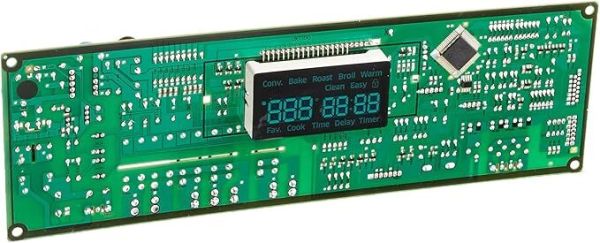
The Samsung DE92-02588G Oven Control Board sends signals to the heating elements as well as the temperature sensors depending on the user’s command. This makes it easier to control the temperature, the time taken and other settings that are required to ensure that the oven delivers consistent and dependable results. The control board is also used to regulate the consumption of energy while at the same time giving a better surface for cooking.
Please, mind that only logged in users can submit questions
Installation Steps
Step 1: Begin by disconnecting the power cord from the rear of the appliance and allow it to cool down prior to commencing.
Step 2: Extract any screws that secure the circuit board in position. Depending on your variant of Samsung DE92-02588G ASSY PCB MAIN, this might necessitate unscrewing multiple sets of screws.
Step 3: After all screws have been taken out, the circuit board should be gently elevated from the appliance and placed aside.
Step 4: It is now time for the old Samsung DE92-02588G ASSY PCB MAIN to be detached from the board. Your soldering iron and solder should be utilized to meticulously eliminate each connection from the board.
Step 5: Once all connections have been cleared, a desoldering pump should be employed to extract the leftover solder.
Step 6: The new Samsung DE92-02588G ASSY PCB MAIN should be inserted into the board and fastened with your soldering iron and solder. Ensure all connections are firmly established before proceeding to the next step.
Step 7: After all connections have been established, the circuit board should be cautiously returned into the appliance, ensuring it fits appropriately. It should be secured with the screws and verification that all connections are intact should be performed.
Step 8: Lastly, the power cord should be reconnected and your newly swapped Samsung DE92-02588G ASSY PCB MAIN should be tested! If it operates correctly, the task has been successfully finished.
Please remember, these instructions serve as general guidance and should always be utilized alongside the manufacturer's manual, if available.
