
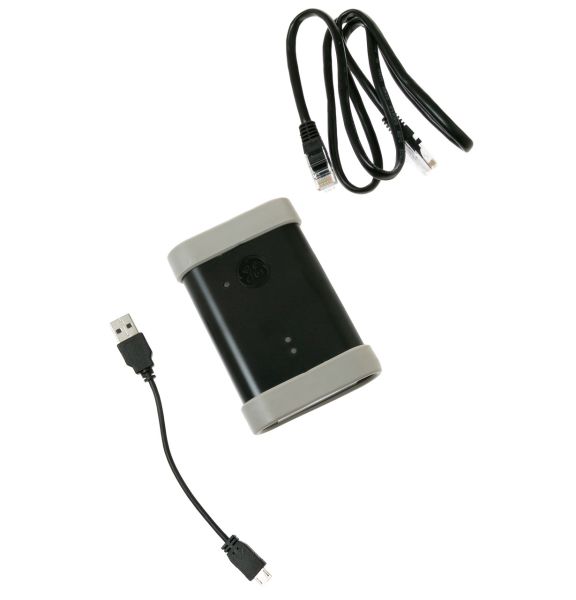
General Electric WX05X15005 Appliance Service Tool W/ Software

Special Price $155.81 Regular Price $199.00
In stock
Available Quantity:   236
SKU
WX05X15005

Product Description

The General Electric WX05X15005 Service Tool can be used in fixing and troubleshooting and is useful in resolving problems as it allows users to have precise control and it functions in a way that offers the main parts required in the disassembly, reassembly, and adjustment of appliances to enhance service delivery. It is built to be long-lasting and can fit perfectly, which enables users to make the necessary repairs on their own.
Manufacturer

✓ This Product Replaces: WX05X15004
Manufacturer Name: GENERAL ELECTRIC
Product Number: WX05X15005
OEM Part Number: WX05X15005
Product Description: Appliance Service Tool Newfi

Choose the best Home Appliance parts and supplies from HnKParts!

  • Same Day Shipping

  • Best Quality And Best Price

  • Wide Range of Inventory

  • Best Customer Service

Have More Questions or Need Help to Place The Order?
Reach us at (866)723-0907 or [email protected]

Write Your Own Review
You're reviewing:General Electric WX05X15005 Appliance Service Tool W/ Software
Your Rating
Customer Questions
What maintenance is required for the General Electric WX05X15005 Service Tool With Software?

Keep the service tool and software media clean and stored in a protective case to prevent damage to electronic components. Update the software periodically as directed by service bulletins to ensure compatibility with newer appliance firmware. Inspect connectors and cables for wear before each use. Avoid exposing the tool to moisture or extreme temperatures.

What are common issues with the General Electric WX05X15005 Service Tool With Software?

  • Software unresponsive during operation.
  • Error codes appear unexpectedly.
  • Difficult to install or connect.
  • Battery or power issues occur.

Installation Steps

Step1: Ensure the appliance is powered off before connecting.

Step2: Attach the service tool interface cable to the appliance diagnostic port.

Step3: Connect the tool to a compatible computer if required.

Step4: Launch the provided software and follow on-screen diagnostic instructions.

Step5: Disconnect the tool safely after completing service or updates.