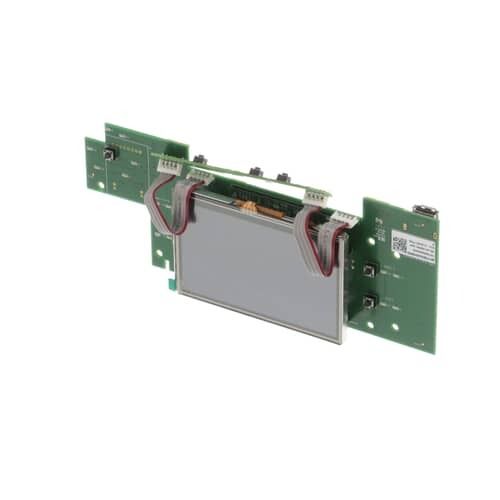
Product Overview:
Provides the front-panel electronic interface for selecting and displaying the refrigerator's available hot water function. The General Electric WR55X34167 Refrigerator Cafe Display Board receives user selections and communicates those inputs to the refrigerator's electronic control system. It serves as the interface component through which the user interacts with the hot water feature.
Water Flow Control:
Processes the user's hot water selection and sends the corresponding electronic command to the refrigerator's control system. The display board does not physically move or regulate the water itself instead, it communicates the selected function to the electronics that coordinate the dispensing operation. This allows the refrigerator to recognize the requested hot water function.
System Integration:
Connects the refrigerator's front user interface with its internal electronic controls. User selections entered through the display are communicated to related control components, allowing the appliance electronics to process the requested feature. The board therefore provides the electronic communication link between the user interface and the refrigerator control system.
Replacement Guidelines:
Replacement may be appropriate when the General Electric WR55X34167 Refrigerator Cafe Display Board Hot Water no longer responds to user selections or communicates those selections correctly to the refrigerator's electronic controls. Changes in display response, feature selection, or user input recognition may indicate that the board has internal damage or is no longer performing its intended interface function.
Common Signs of Wear:
A malfunctioning display board may be associated with:
Display selections do not respond as expected.
Hot water selections are not recognized.
Display information appears incomplete or inconsistent.
User commands respond intermittently.
Interface controls operate inconsistently.
Equipment Compatibility:
The General Electric WR55X34167 Refrigerator Cafe Display Board is intended for specific GE Cafe refrigerator applications using the corresponding hot water dispensing interface. The refrigerator model and feature configuration determine its intended application. Match the complete refrigerator model information with part number WR55X34167 before purchase.
Technical Specifications:
Brand: General Electric
Part Number: WR55X34167
Component Type: Cafe Display Board
Appliance Type: Refrigerator