
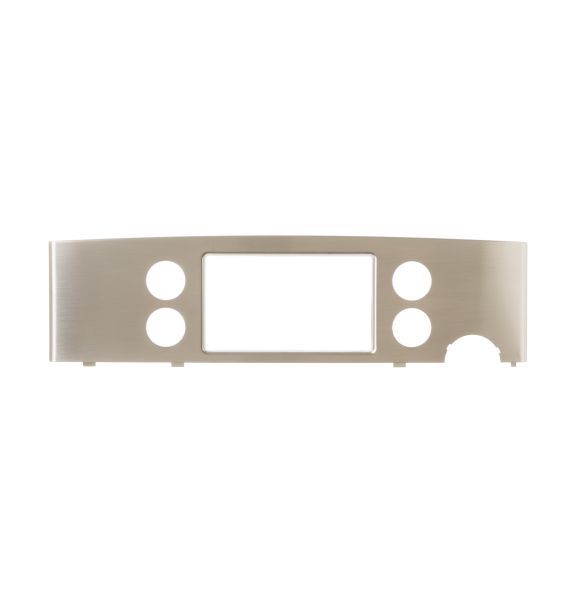
General Electric WR17X13172 Refrigerator Display Cover

Special Price $86.40 Regular Price $136.41
In stock
Available Quantity:   20
SKU
WR17X13172

Product Description

The General Electric WR17X13172 Display Cover used for providing a protective layer to the display of the refrigerator. This one covers the display to protect it from getting scratched, damaged, or accumulate dust hence enhancing visibility and operations. It is designed to securely cover the existing panel while preserving the refrigerator’s appearance and protecting its control panel. The cover is easy to fit and is made of durable material that will provide long term protection. This useful addition assists in increasing the durability of the display system of the refrigerator.
Manufacturer

https://www.hnkparts.com/media/catalog/product/w/r/wr17x13172_general-electric_hnkparts.png
Manufacturer Name: GENERAL ELECTRIC
Product Number: WR17X13172
OEM Part Number: WR17X13172
Product Description: Display Cover

Choose the best Home Appliance parts and supplies from HnKParts!

  • Same Day Shipping

  • Best Quality And Best Price

  • Wide Range of Inventory

  • Best Customer Service

Have More Questions or Need Help to Place The Order?
Reach us at (866)723-0907 or [email protected]

Write Your Own Review
You're reviewing:General Electric WR17X13172 Refrigerator Display Cover
Your Rating
Customer Questions
What maintenance is required for the General Electric WR17X13172 Display Cover?

Ensure the cover sits evenly over the control panel so all indicators remain visible. Wipe away dust or smudges that could reduce display clarity. Test the panel to confirm selections register accurately through the cover.

What are common issues with the General Electric WR17X13172 Display Cover?

  • Indicators hard to read.
  • Touch inputs not registering.
  • Display not reflecting selected settings.
  • Panel response delayed.

Installation Steps

Step1: Unplug the refrigerator to prevent electrical shock.

Step2: Remove any screws or clips securing the existing display cover.

Step3: Gently lift off the old cover from the control panel.

Step4: Align the new display cover with the panel slots.

Step5: Secure it using screws or clips.

Step6: Restore power and verify the display operates correctly.