
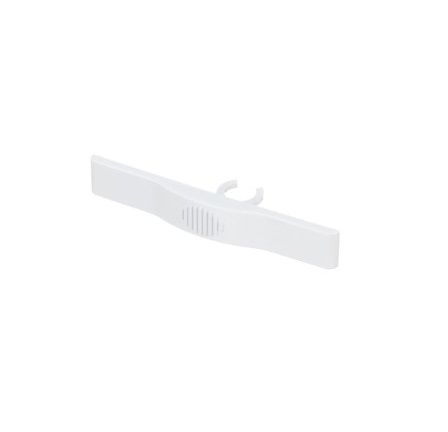
General Electric WR02X11174 Refrigerator Button Slide

$19.10
In stock
Available Quantity:   11
SKU
WR02X11174

Product Description

BUTTON SLIDE
Manufacturer

https://www.hnkparts.com/media/catalog/product/w/r/wr02x11174-19039.jpg

This Part Fits the Following Models (1053)

GE GSS25QGMDWW Refrigerator GE GSS25VFPACC Refrigerator GE GSS25VFPAWW Refrigerator GE GSS25VFPCCC Refrigerator GE GSS25VFPCWW Refrigerator GE GSS25VFPDCC Refrigerator GE GSS25VGMBCC Refrigerator GE GSS25VGMBWW Refrigerator GE GSS25VGMCBB Refrigerator GE GSS25VGMCCC Refrigerator GE GSS25VGMCWW Refrigerator GE GSS25VGMDCC Refrigerator GE GSS25VGMDWW Refrigerator GE GSS25QFMDBB Refrigerator GE GSS25QFMDCC Refrigerator
Showing 1-15 of 1053
Manufacturer Name: GENERAL ELECTRIC
Product Number: WR02X11174
OEM Part Number: WR02X11174
Product Description: Button Slide

Choose the best Home Appliance parts and supplies from HnKParts!

  • Same Day Shipping

  • Best Quality And Best Price

  • Wide Range of Inventory

  • Best Customer Service

Have More Questions or Need Help to Place The Order?
Reach us at (866)723-0907 or [email protected]

Write Your Own Review
You're reviewing:General Electric WR02X11174 Refrigerator Button Slide
Your Rating
Customer Questions
No Questions
Please, mind that only logged in users can submit questions

Installation Steps

Step 1: The appliance should be disconnected from the power source and it should be confirmed that it is entirely off before initiating any replacement.

Step 2: The #1 screwdriver should be employed to extract the screws located at both the top and bottom of the control panel.

Step 3: The control panel should be gently detached and placed in a safe location. Within the control panel, the WR02X11174 GE Humidity Slide Button should be identified.

Step 4: The pliers should be utilized to detach the wires attached to the existing button. Afterward, the old button should be taken out from the control panel and either discarded or recycled as appropriate.

Step 5: The new WR02X11174 GE Humidity Slide Button should be inserted into the control panel. The wires that were disconnected from the old button should be reattached, ensuring they are securely fastened to the new one.

Step 6: The control panel should be repositioned onto the appliance and the #1 screwdriver should be utilized to fasten it in place.

Step 7: The appliance should be reconnected to the power source and turned on. The functionality of the new button should be verified to ensure it operates correctly.

The WR02X11174 GE Humidity Slide Button of your appliance has now been successfully replaced!

Please remember, these instructions are served as general guidance and should always be utilized alongside the manufacturer's manual, if one is available.