
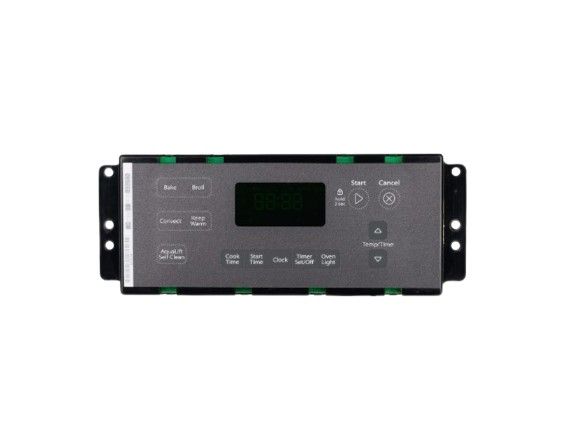
Whirlpool WPW10586737 Oven Electronic Control Board

Special Price $323.25 Regular Price $350.95
In stock
Available Quantity:   66
SKU
WPW10586737

Product Description

The Whirlpool WPW10586737 serves as the electronic control board for your Whirlpool oven. This essential part converts your button pushes and knob selections into instructions for the oven's several features. It controls elements that heat up and cool down, as well as functions like timing, baking, and broiling. The control board makes sure that the oven operates efficiently and cooks food to exact temperatures by receiving signals from the user interface and keeping an eye on sensors inside. A malfunctioning control board might cause an oven to operate incorrectly, not at all, or at the wrong temperature. Replacing a faulty board with the WPW10586737 restores your oven's control and functionality, allowing you to bake, broil, and roast confidently.  

 

Manufacturer
https://www.hnkparts.com/media/catalog/product/w/p/wpw10586737-47686.jpg
Manufacturer Name: WHIRLPOOL
Product Number: WPW10586737
OEM Part Number: WPW10586737
Product Description: Cntrl-Elec+Core(Oven)

Choose the best Home Appliance parts and supplies from HnKParts!

  • Same Day Shipping

  • Best Quality And Best Price

  • Wide Range of Inventory

  • Best Customer Service

Have More Questions or Need Help to Place The Order?
Reach us at (866)723-0907 or [email protected]

Write Your Own Review
You're reviewing:Whirlpool WPW10586737 Oven Electronic Control Board
Your Rating
Customer Questions
What maintenance is required for the Whirlpool WPW10586737 Electronic Control Board?

Regularly inspect the oven control board for loose connections or signs of burning. Keep the area around it free of moisture and debris. Avoid pressing buttons excessively and ensure the oven is powered off before any checks. Proper control prevents malfunctions and ensures better operation.

What are common issues with the Whirlpool WPW10586737 Electronic Control Board?

  • Unresponsive or erratic touchpad.
  • Incorrect temperature readings or oven not heating properly.
  • Display screen malfunctions or flickering.
  • Error codes appearing frequently.

Installation Steps

Step1: Disconnect power at the breaker to ensure no electrical risk.

Step2: Remove the back panel screws and take off the cover.

Step3: Note all wiring connections for reference.

Step4: Disconnect wiring harnesses carefully from the old control board.

Step5: Remove mounting screws and lift out the faulty board.

Step6: Install the new board, reconnect wiring, reassemble panel, and restore power.