
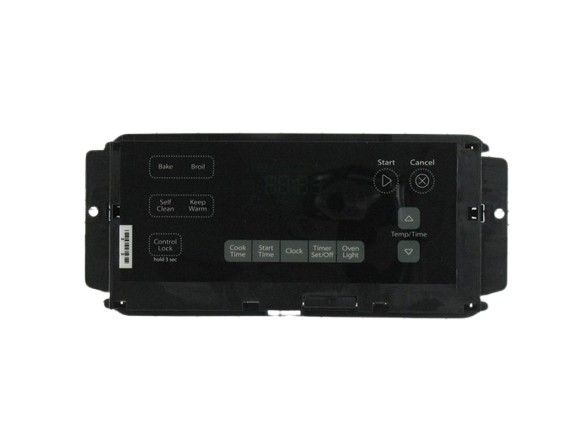
Whirlpool WPW10348656 Range Electronic Control Board

Special Price $311.18 Regular Price $337.95
In stock
Available Quantity:   30
SKU
WPW10348656

Product Description

The Whirlpool WPW10348656 has become a necessary electronic component for your Whirlpool range. It functions as your oven's intellect, adjusting temperature, cooking modes, and timer activities. This control board receives user input through the range's knobs and buttons. It then translates those commands into electrical signals that direct the oven's heating components, fans, and lights to perform the tasks that are wanted. Basically, it maintains your oven at certain levels for baking, broiling, and other cooking activities. Possessing an entirely functional WPW10348656 control board possesses multiple benefits. Precise temperature control guarantees in accordance with cooking and delicious outcomes. You can depend on your oven to heat up specifically while sustaining an even temperature across the cooking process.

Manufacturer
https://www.hnkparts.com/media/catalog/product/w/p/wpw10348656-68504.jpg
Manufacturer Name: WHIRLPOOL
Product Number: WPW10348656
OEM Part Number: WPW10348656
Product Description: Cntrl-Elec+Core

Choose the best Home Appliance parts and supplies from HnKParts!

  • Same Day Shipping

  • Best Quality And Best Price

  • Wide Range of Inventory

  • Best Customer Service

Have More Questions or Need Help to Place The Order?
Reach us at (866)723-0907 or [email protected]

Write Your Own Review
You're reviewing:Whirlpool WPW10348656 Range Electronic Control Board
Your Rating
Customer Questions
What maintenance is required for the Whirlpool WPW10348656 Electronic Control Board?

Ensure the range control board stays dry and free from grease buildup. Check connections for corrosion or looseness regularly. Avoid power surges by using a surge protector. Always disconnect the range from electricity before inspecting or servicing the board.

What are common issues with the Whirlpool WPW10348656 Electronic Control Board?

  • Range not powering on or responding to controls.
  • Heating elements not activating correctly.
  • Error codes displayed on the control panel.
  • Buttons or touch controls becoming unresponsive.
  • Range cycles not completing or stopping unexpectedly.

Installation Steps

Step1: Turn off power at breaker and confirm range is fully de-energized.

Step2: Remove back or control panel cover to access old control board.

Step3: Disconnect wiring harnesses carefully, noting each connection point.

Step4: Remove mounting screws and take out the defective control board.

Step5: Install new board, reconnect all wires firmly, and secure screws.

Step6: Reassemble panel, restore power, and test range operates for proper operation.