
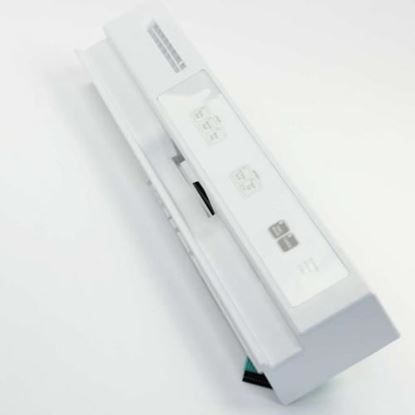
Whirlpool WPW10250008 Dishwasher Control Panel

Special Price $142.37 Regular Price $159.95
Out of stock
Available Quantity:   0
SKU
WPW10250008
✓ This Product Replaces: W10250008

Product Description

The Whirlpool WPW10250008 is a replacement control panel that is specifically intended for Whirlpool dishwashers. The user interface, which is usually a touchpad with buttons and lights, is housed in this crucial component. The control panel transmits your choices to the dishwasher's internal control board when you choose a wash cycle or change settings. The control panel also shows the cycle status and any error codes that may occur during operation. Running your dishwasher and making sure your dishes are cleaned properly depend on a functional control panel. Replacing your broken or non-functional touchpad with an authentic Whirlpool WPW10250008 control panel will guarantee compatibility and bring your dishwasher back to full working order.

 

Manufacturer
https://www.hnkparts.com/media/catalog/product/w/p/wpw10250008_whirlpool_hnkparts.jpg
Manufacturer Name: WHIRLPOOL
Product Number: WPW10250008
OEM Part Number: WPW10250008
Product Description: Panel-Cntl

Choose the best Home Appliance parts and supplies from HnKParts!

  • Same Day Shipping

  • Best Quality And Best Price

  • Wide Range of Inventory

  • Best Customer Service

Have More Questions or Need Help to Place The Order?
Reach us at (866)723-0907 or [email protected]

Write Your Own Review
You're reviewing:Whirlpool WPW10250008 Dishwasher Control Panel
Your Rating
Customer Questions
What maintenance is required for the Whirlpool WPW10250008 Control Panel?

Regularly wipe the dishwasher control panel with a soft, damp cloth to remove spills and fingerprints. Avoid abrasive cleaners or excess moisture. Ensuring buttons remain free of debris prevents operational errors and can maintain accurate touch and operation.

What are common issues with the Whirlpool WPW10250008 Control Panel?

  • Unresponsive or sticking buttons.
  • Display screen malfunctions or flickering.
  • Error codes appearing unexpectedly.
  • Intermittent power or control signal failures.

Installation Steps

Step1: Disconnect power at breaker and shut water supply for safety.

Step2: Remove inner door panel screws and carefully detach outer control fascia.

Step3: Disconnect ribbon cable and wiring harness from old control panel.

Step4: Align new control panel and reconnect harness firmly until locked.

Step5: Secure panel screws and reassemble door cover properly.

Step6: Restore power and test wash cycle operates for response.

Step7: Ensure door gasket is seated before closing.