The store will not work correctly in the case when cookies are disabled.
We collect user information to provide a better user experience and protect the security of our website. By continuing to use our website, you acknowledge the use of cookies.
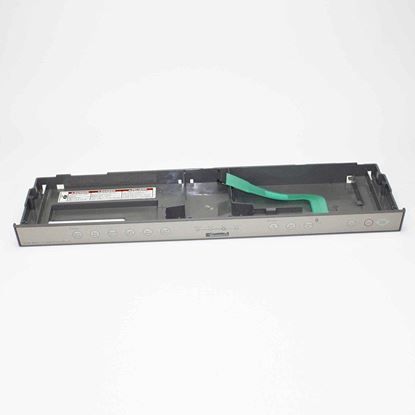
The Whirlpool WPW10205857 Dishwasher Control Panel is an integral part that enhances the functionality of compatible Whirlpool dishwashers. Users can easily browse through different washing cycles and settings with this user-friendly control panel, which guarantees excellent cleaning performance for dishes and utensils. It is a long-lasting, precisely crafted piece that blends in perfectly with the dishwasher's aesthetic to give users a sleek, contemporary interface. This control panel, which makes use of cutting-edge technology, makes dishwashing easier and more efficient for busy households. Anyone can easily operate it thanks to its user-friendly interface, and its sturdy build guarantees enduring dependability. The ultimate option for hassle-free dishwashing is the Whirlpool WPW10205857 Dishwasher Control Panel. Say goodbye to laborious scrubbing and hello to gleaming clean dishes.
What maintenance is required for the Whirlpool WPW10205857 Control Panel?
To maintain the dishwasher Control Panel, regularly wipe the surface with a soft, damp cloth to prevent grime buildup. Avoid chemicals, ensure buttons are not stuck, and check for moisture or water damage around the panel for better, optimal operation.
What are common issues with the Whirlpool WPW10205857 Control Panel?
Unresponsive or sticky buttons.
Display screen not operating correctly.
Error codes appearing unexpectedly.
Intermittent control malfunctions during cycles.
Installation Steps
Step1: Turn off power at the breaker and unplug the dishwasher.
Step2: Open the door and remove screws securing the inner panel.
Step3: Carefully separate the control panel housing.
Step4: Disconnect wiring harness from the old panel.
Step5: Connect harness to the new control panel securely.
Step6: Reassemble the panel and fasten screws tightly.