The store will not work correctly in the case when cookies are disabled.
We collect user information to provide a better user experience and protect the security of our website. By continuing to use our website, you acknowledge the use of cookies.
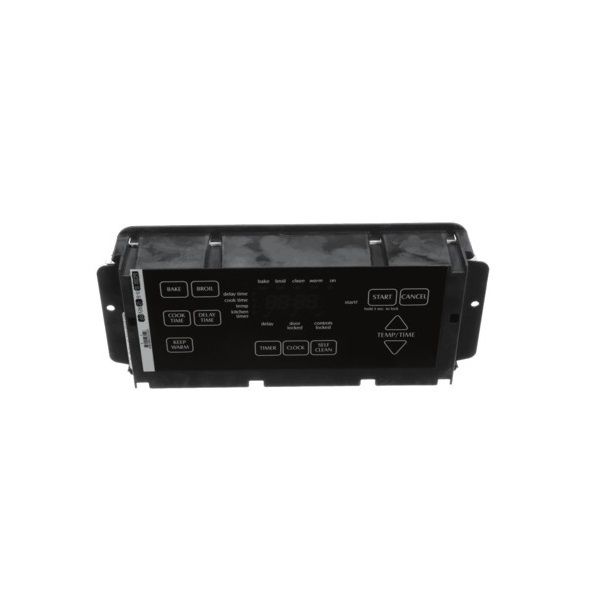
The Whirlpool WPW10201915 Range Electronic Control Board is the computational unit underlying your Whirlpool oven. It's a circuit board packed with electronic components that translates your knob turns and button presses into instructions for heating elements, timers, and other tasks. This control board acts as the central interface, converting input from humans into electrical signals that regulate oven temperature, cooking modes, and cooking cycles. Essentially, it acts as an interface between you and your oven. This concealed component, located underneath the oven's control panel, is crucial to making sure your oven runs correctly and in compliance with your meant settings. A faulty control board may lead to an array of issues, including incorrect temperatures and sluggish buttons.
What maintenance is required for the Whirlpool WPW10201915 Control Board with Overlay?
Keep the area around the control board clean and dry. Confirm all wiring connections are fully seated. Operate multiple functions to verify accurate response. Avoid pressing buttons excessively hard and check display for proper activation after any service.
What are common issues with the Whirlpool WPW10201915 Control Board with Overlay?
Selected cycles not registering.
Display showing incorrect information.
Delayed response to commands.
Timers or settings not activating.
Installation Steps
Step1: Turn off the power at the breaker before servicing.
Step2: Remove the wall oven control panel to access the board.
Step3: Disconnect all wire connectors from the old control board.
Step4: Unscrew mounting fasteners and remove the existing board.
Step5: Install the new board and reconnect wiring securely.
Step6: Reassemble panel and restore power to verify proper operation.