
The store will not work correctly in the case when cookies are disabled.
We collect user information to provide a better user experience and protect the security of our website. By continuing to use our website, you acknowledge the use of cookies.
In the Observance of Memorial Day No Shippings or Deliveries on Monday, 05/25. Second day air orders on 05/21 and next day air orders on 05/22 will be delivered on Tuesday, 05/26.
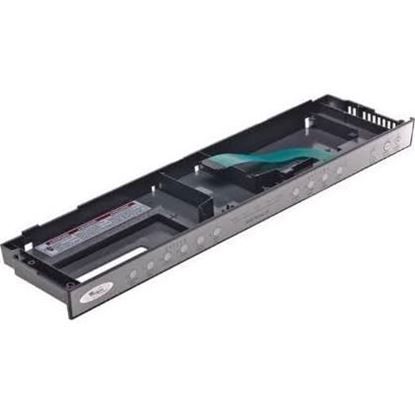
The Whirlpool WPW10175238 Dishwasher Control Panel functions as a wash cycle controller by sending user commands to the appliance's control board. The control panel enables users to select wash cycles and start times and additional options using responsive buttons and indicators. Through its control panel the component maintains precise operation which optimizes both water consumption and energy efficiency. The product's sleek design makes operation simpler and its dependable operation ensures consistent dishwashing outcomes.
What maintenance is required for the Whirlpool WPW10175238 Touchpad Control Panel?
Check that all buttons register accurately and that the panel surface is clean from residue. Inspect wiring connections at the back for looseness or corrosion. Verify that each cycle selection responds correctly without lag or skipped inputs.
What are common issues with the Whirlpool WPW10175238 Touchpad Control Panel?
Touchpad not responding.
Display failing to show icons.
Start button not registering.
Program settings resetting mid-cycle.
Installation Steps
Step1: Disconnect power to the dishwasher to prevent electrical shock.
Step2: Open the dishwasher door and remove the screws securing the control panel.
Step3: Gently lift the old touchpad panel away from the console.
Step4: Connect the wiring harness to the new touchpad panel.
Step5: Secure the panel with screws and ensure it aligns correctly.
Step6: Restore power and test all touchpad functions for proper response.
