The store will not work correctly in the case when cookies are disabled.
We collect user information to provide a better user experience and protect the security of our website. By continuing to use our website, you acknowledge the use of cookies.
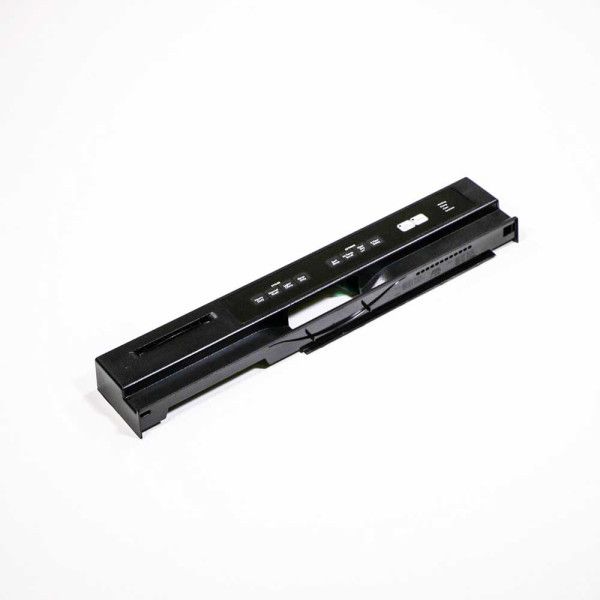
The Whirlpool WPW10078105 Dishwasher Control Panel is an essential part of Whirlpool dishwasher models, acting as the interface through which users operate and control the dishwasher's numerous functions. Users can easily choose from a variety of wash cycles, change settings, and keep an eye on the washing cycle's progress with this stylish and user-friendly control panel. Because the control panel is made of sturdy materials, it will function for a long time even with frequent use. Because of its intuitive design, washing dishes is made easier and homeowners can easily get spotless dishes every time. Whirlpool dishwashers have a control panel that is completely integrated into the entire design, adding to the appliance's visual appeal and usefulness.
What maintenance is required for the Whirlpool WPW10078105 Control Panel?
Keep the dishwasher control panel clean by wiping it gently with a soft, damp cloth. Avoid using harsh chemicals or excessive water. Check buttons for responsiveness and ensure no food debris or moisture enters the panel to avoid electrical issues.
What are common issues with the Whirlpool WPW10078105 Control Panel?
Dishwasher unresponsive or sticky buttons.
Display screen malfunction or flickering.
Error codes appearing without cause.
Inconsistent cycle selection or failure to start.
Installation Steps
Step1: Disconnect dishwasher power and water supply for safety.
Step2: Remove inner door panel screws carefully.
Step3: Detach faulty control panel and wiring harness.
Step4: Connect new control panel securely and align clips.