
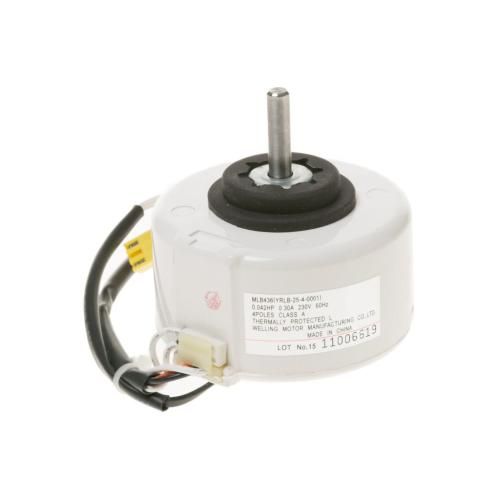
General Electric WP94X10309 AC In Fan Motor

Special Price $141.81 Regular Price $159.95
In stock
Available Quantity:   27
SKU
WP94X10309

Product Description

The General Electric WP94X10309 AC In Fan Motor Zoneline efficiently powers the AC unit’s airflow, ensuring consistent cooling performance. It operates by driving the fan blades to circulate air, maintaining optimal temperature control. Designed for durability, it delivers smooth and reliable operation while reducing noise and energy consumption. This fan motor enhances air distribution, improving comfort and efficiency in cooling performance. Its sturdy construction ensures long-lasting performance, making it a dependable component for maintaining indoor air quality and system reliability.
6.6"X5.1"X5.1"
Manufacturer
https://www.hnkparts.com/media/catalog/product/w/p/wp94x10309-general-electric-hnkparts-1.jpg
Write Your Own Review
You're reviewing:General Electric WP94X10309 AC In Fan Motor
Your Rating
Customer Questions
What maintenance is required for the General Electric WP94X10309 Fan Motor?

Check that the fan spins smoothly and blades are free from dust or obstructions. Inspect mounting points for looseness and ensure the motor is seated evenly. Test the fan operation during cycles to confirm consistent airflow. Listen for unusual sounds that may indicate imbalance or wear.

What are common issues with the General Electric WP94X10309 Fan Motor?

  • Fan not spinning at full speed.
  • Airflow uneven or low.
  • Fan stopping intermittently.
  • Vibration affecting surrounding components.

Installation Steps

Step1: Turn off power to the AC at the circuit breaker.

Step2: Remove the outer cover or panel to access the fan motor.

Step3: Disconnect wiring connectors from the old motor.

Step4: Unscrew and remove the faulty motor from its bracket.

Step5: Install the new fan motor and reconnect all wires securely.

Step6: Replace the cover, restore power, and test fan operation.
