
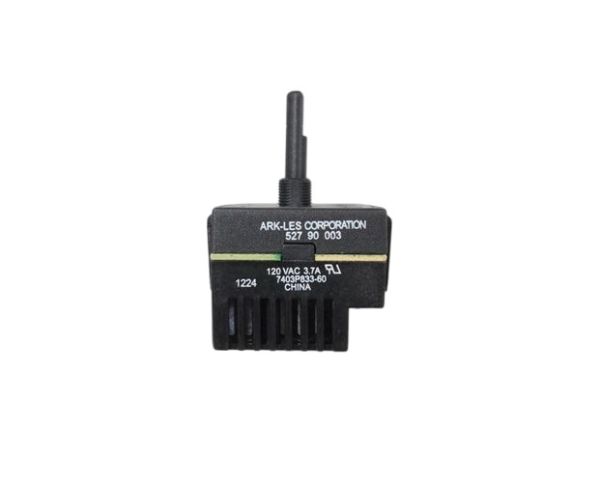
Whirlpool WP74009256 Range Fan Switch

Special Price $96.28 Regular Price $114.95
Out of stock
Available Quantity:   0
SKU
WP74009256

Product Description

The Whirlpool WP74009256 Range Fan Switch operates the ventilation fan by controlling the amount of power to the motor at the desired speed settings. It operates by switching electrical circuits on or off, depending on the user input and varies airflow using the range hood or cooktop ventilation system. The switch is fitted into the control panel to fit with internal wiring and fan controls so that it can transmit the signal correctly, and the fan will run properly.
Switch, Fan,
Manufacturer
✓ This Product Replaces: 12002045, 74009256
https://www.hnkparts.com/media/catalog/product/w/p/wp74009256-76740.jpg
Manufacturer Name: WHIRLPOOL
Product Number: WP74009256
OEM Part Number: WP74009256
Product Description: Switch-Fan

Choose the best Home Appliance parts and supplies from HnKParts!

  • Same Day Shipping

  • Best Quality And Best Price

  • Wide Range of Inventory

  • Best Customer Service

Have More Questions or Need Help to Place The Order?
Reach us at (866)723-0907 or [email protected]

Write Your Own Review
You're reviewing:Whirlpool WP74009256 Range Fan Switch
Your Rating
Customer Questions
What maintenance is required for the Whirlpool WP74009256 Fan Switch?

Regularly inspect the range switch for dust, grease, or debris buildup, and clean gently with a dry cloth or mild cleaner. Ensure all connections are secure to avoid electrical issues. Avoid moisture contact and handle carefully to avoid internal damage.

What are common issues with the Whirlpool WP74009256 Fan Switch?

  • Range fan fails to turn on or off.
  • Inconsistent fan speed or intermittent operation.
  • Switch feels loose or wobbly.
  • Clicking or unusual noises when adjusting settings.

Installation Steps

Step1: Turn off power at breaker for safety verify voltage is off.

Step2: Remove range control panel carefully lift gently.

Step3: Disconnect wiring from old switch noting terminals secure connectors.

Step4: Install new switch and reconnect wires securely align properly.

Step5: Reassemble panel restore power and test fan operation check operation.
