
Special Price
$18.88
Regular Price
$36.95
In stock
Available Quantity:
6
SKU
WP71X10033
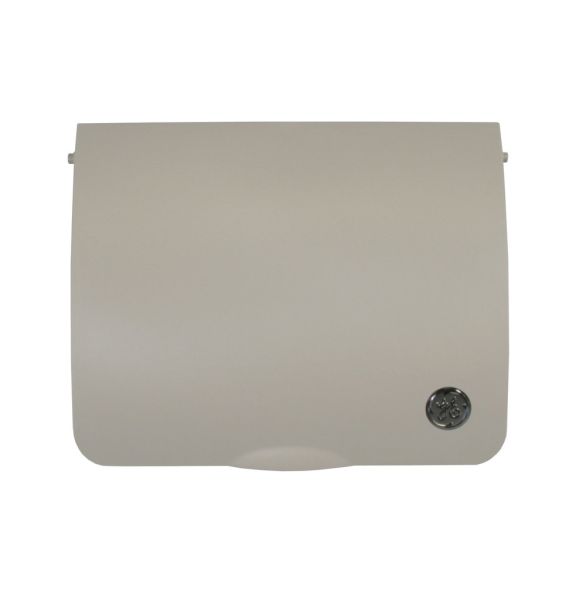
The General Electric WP71X10033 Air Conditioner Control Cover W/ Logo is a plastic panel that is used to cover the control section against dust, impact, and normal handling. The structure has built in line with the front control area of the unit, where it fits in place securely at the designated mounting points. It is placed on the interface components, which enclose the controls, and make them less exposed to debris or unintended disturbance. Protection around the control assembly, it allows a reliable operation and assists in keeping the internal components of the unit intact.
Manufacturer

✓ This Product Replaces:
WP71X10015, WP71X10028
This Part Fits the Following Models (263)
GE AZ58H07DACM1 Air Conditioner
GE AZ58H07DADM1 Air Conditioner
GE AZ58H07EACM1 Air Conditioner
GE AZ58H07EADM1 Air Conditioner
GE AZ58H09DACM1 Air Conditioner
GE AZ58H09DADM1 Air Conditioner
GE AZ58H09EACM1 Air Conditioner
GE AZ58H09EADM1 Air Conditioner
GE AZ58H12DACM1 Air Conditioner
GE AZ58H12DADM1 Air Conditioner
GE AZ58H12EACM1 Air Conditioner
GE AZ58H12EADM1 Air Conditioner
GE AZ58H15DACM1 Air Conditioner
GE AZ58H15DADM1 Air Conditioner
GE AZ58H15EACM1 Air Conditioner
Showing 1-15
of 263
| Manufacturer Name: GENERAL ELECTRIC Product Number: WP71X10033 OEM Part Number: WP71X10033 Product Description: Control Cover W/Logo |
Choose the best Home Appliance parts and supplies from HnKParts!
Same Day Shipping
Best Quality And Best Price
Wide Range of Inventory
Best Customer Service
Have More Questions or Need Help to Place The Order?
Reach us at (866)723-0907 or [email protected]
Write Your Own Review
Customer Questions
Installation Steps
Step1: Turn off power to AC unit at breaker and ensure unit is cool for safety.
Step2: Remove old control cover screws and gently detach front panel.
Step3: Align cover with mounting holes and ensure correct logo orientation.
Step4: Secure with screws and ensure snug fit without over-tightening or cracking plastic.
Step5: Restore power and test controls for proper function and responsiveness.
