
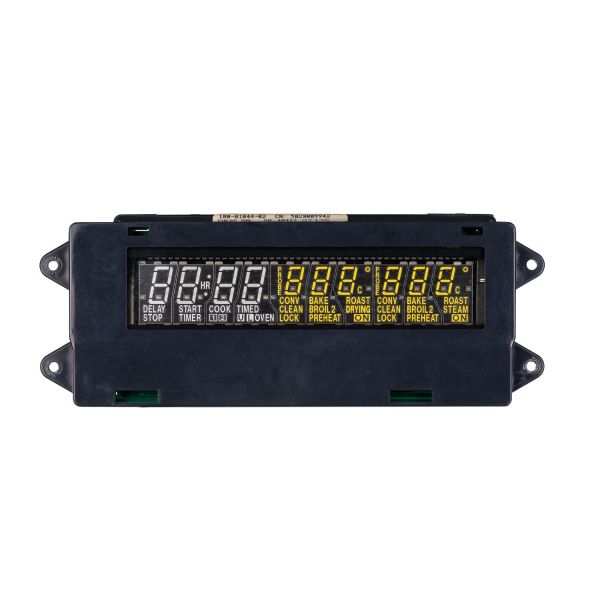
Whirlpool WP71003401 Oven Control Board

Special Price $280.50 Regular Price $304.95
In stock
Available Quantity:   29
SKU
WP71003401

Product Description

Whirlpool WP71003401 Electronic Control Board is designed to help ovens work efficiently and maintain the right temperature. This element serves as the of the appliances to monitor and regulate heat, cooking modes, and time in relationship with advanced electronic circuits. This effective oven control helps to achieve uniformity in cooking, avoid overheating, and ensure smooth operations of the equipment. For integration, it aids in the correction of the board to make it function properly for the baking, roasting and broiling to be efficient and uniform.
Manufacturer

https://www.hnkparts.com/media/catalog/product/w/p/wp71003401-75384.jpg

This Part Fits the Following Models (57)

Showing 1-15 of 57
Manufacturer Name: WHIRLPOOL
Product Number: WP71003401
OEM Part Number: WP71003401
Product Description: Cntrl-Elec+Core

Choose the best Home Appliance parts and supplies from HnKParts!

  • Same Day Shipping

  • Best Quality And Best Price

  • Wide Range of Inventory

  • Best Customer Service

Have More Questions or Need Help to Place The Order?
Reach us at (866)723-0907 or [email protected]

Write Your Own Review
You're reviewing:Whirlpool WP71003401 Oven Control Board
Your Rating
Customer Questions
What maintenance is required for the Whirlpool WP71003401 Control Board?

Regularly inspect the oven control board for loose connections or visible damage. Keep the oven clean to prevent grease buildup near the board. Ensure power is off before any inspection, and avoid moisture contact to prevent electrical hazards.

What are common issues with the Whirlpool WP71003401 Control Board?

  • Oven not heating properly.
  • Display or touchpad unresponsive
  • Inconsistent temperature control.
  • Error codes appearing during operation.

Installation Steps

Step1: Disconnect Oven power at breaker before beginning installation for safety precautions always.

Step2: Remove oven rear panel or control housing screws carefully.

Step3: Label and disconnect wiring harness from old control board carefully.

Step4: Install new board by aligning connectors and secure screws firmly.

Step5: Reassemble panel, restore power, and test all operations carefully.

Step6: Ensure oven heats and display responds correctly after installation is complete.