
Special Price
$36.45
Regular Price
$54.58
In stock
Available Quantity:
53
SKU
WP26X31393
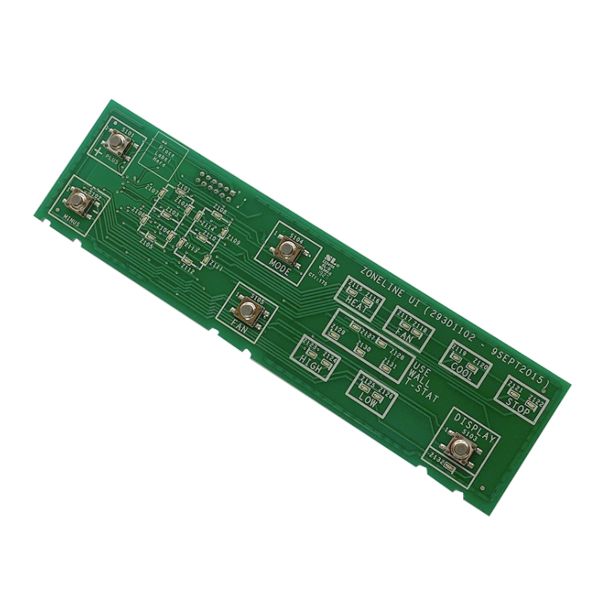
The General Electric WP26X31393 Air Conditioner User Interface Control Board is the central command unit that allows users to operate and adjust their AC settings with precision. This component manages temperature control, fan speed, and mode selection, ensuring efficient cooling performance. It works by receiving user inputs through the control panel and sending signals to regulate internal functions, maintaining the desired comfort level. The board ensures smooth operation by accurately processing commands and optimizing system performance. With its simple functionality, users can effortlessly adjust cooling preferences, enhance energy efficiency, and maintain a comfortable indoor environment. This control board improves usability, making temperature adjustments straightforward and effective.
Manufacturer
This Part Fits the Following Models (40)
AZ45E07DABW1
AZ45E09DABW1
AZ45E12DABW1
AZ45E15DABW1
AZ45E09DAMW2
AZ45E12EAPW1
AZ65H15DABW2
AZ65H09EACW1
AZ65H07EADW1
AZ65H09DBMW1
AZ65H12EADW1
AZ65H07DADW1
AZ65H09DADW1
AZ65H07EBMW1
AZ45E07DACW1
Showing 1-15
of 40
| Manufacturer Name: GENERAL ELECTRIC Product Number: WP26X31393 OEM Part Number: WP26X31393 Product Description: Ui Board |
Choose the best Home Appliance parts and supplies from HnKParts!
Same Day Shipping
Best Quality And Best Price
Wide Range of Inventory
Best Customer Service
Have More Questions or Need Help to Place The Order?
Reach us at (866)723-0907 or [email protected]
Write Your Own Review
Customer Questions
Installation Steps
Step1: Turn off the air conditioner and disconnect power.
Step2: Remove the front panel or cover to access the control board.
Step3: Carefully unplug all connectors from the existing control board.
Step4: Place the new user interface board in position.
Step5: Reconnect all wiring and secure the board with screws.
Step6: Restore power and verify that the interface functions correctly.
