
The store will not work correctly in the case when cookies are disabled.
JavaScript seems to be disabled in your browser.
For the best experience on our site, be sure to turn on Javascript in your browser.
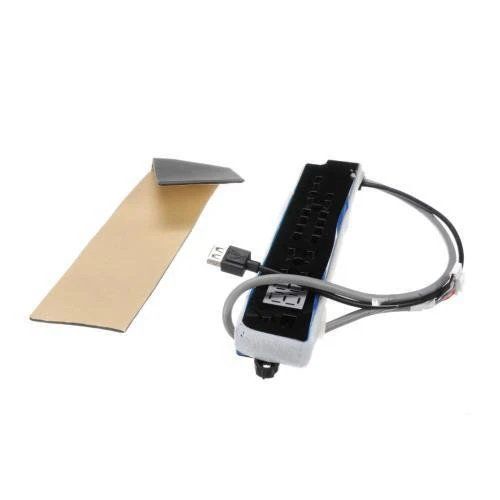
General Electric WJ26X27695 Air Conditioner User Interface Board Kit
In stock
Available Quantity:
26
Product Description
The General Electric WJ26X27695 Air Conditioner User Interface Board Kit controls the temperature and other features such as fan speeds and modes. This board receives signals from the remote control or thermostat and converts them into instructions to the air conditioner's internal system. By replacing a faulty interface, it better performance, increases the reliability of the system, and allows users to have an easy, seamless control over the system to achieve maximum comfort and productivity.
✓ This Product Replaces:
WJ26X25906
https://www.hnkparts.com/media/catalog/product/w/j/wj26x27695-78359.jpg
This Part Fits the Following Models (1)
No models found matching your search.
Manufacturer Name: GENERAL ELECTRIC Product Number: WJ26X27695OEM Part Number: WJ26X27695Product Description: Ui Board Kit
Choose the best Home Appliance parts and supplies from HnKParts ! Have More Questions or Need Help to Place The Order? Reach us at (866)723-0907 or [email protected]
Installation Steps
Step 1: To start, the dryer power cord should be disconnected from the outlet to avoid electric shock. Step 2: Then, the dryer cabinet should be accessed and the circuit board should be found. Step 3: A Phillips head screwdriver should be employed to take out the screws that hold the board in place. Step 4: Any wiring connectors should be gently detached from the existing board to the control panel or additional components. Step 5: The old board should be extracted with care and put aside. Step 6: The new GE WJ26X27695 UI BOARD KIT should be acquired, and it should be secured to the dryer using the screws that were previously removed. Step 7: Any wiring connectors should be reconnected to their respective locations and it should ensure that they are tightly fitted. Step 8: The dryer cabinet should be closed and the power cord should be reconnected to the outlet. Step 9: The new board's functionality should be verified by initiating a cycle on the machine. Step 10: If all functions correctly, the board replacement has been accomplished! Please note that these instructions are served as general advice and should always be followed alongside the manufacturer's manual, if available.
