
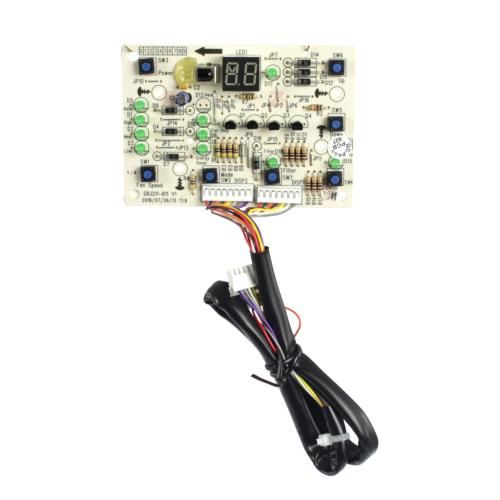
GE WJ26X21846 Air Conditioner Display Board

Special Price $53.51 Regular Price $57.95
In stock
Available Quantity:   3
SKU
WJ26X21846

Product Description

The GE WJ26X21846 Air Conditioner Display Board interprets the user inputs and displays information such as temperature mode and fan settings. It takes the input of buttons or touch controls and sends relevant instructions to the control system of the unit. It is mounted on the back of the front panel of the air conditioner and communicates with the internal wiring harness occupying the main user interface position. allows proper input and feedback, allowing us to ensure that the functions of the unit remain under proper control in normal usage.
6.3"X4.6"X2.5"
Manufacturer
https://www.hnkparts.com/media/catalog/product/w/j/wj26x21846-general-electric-hnkparts-1.jpg
Write Your Own Review
You're reviewing:GE WJ26X21846 Air Conditioner Display Board
Your Rating
Customer Questions
What maintenance is required for the GE WJ26X21846 Display Board?

Wipe the display surface to remove moisture and residue. Confirm all wiring connections are secure. Test multiple functions to ensure accurate visual feedback. Verify consistent operation during full cycle runs to maintain proper control performance.

What are common issues with the GE WJ26X21846 Display Board?

  • Indicators not updating correctly.
  • Random display flickering.
  • Status showing inaccurately.
  • Delayed or inconsistent visual feedback.

Installation Steps

Step1: Disconnect the air conditioner from power to avoid shock.

Step2: Remove the front panel carefully to access the old display board.

Step3: Unplug all wiring harnesses from the existing board.

Step4: Install the new display board and reconnect wires securely.

Step5: Replace the front panel and secure screws.

Step6: Power on and verify display operations properly.
