
The store will not work correctly in the case when cookies are disabled.
We collect user information to provide a better user experience and protect the security of our website. By continuing to use our website, you acknowledge the use of cookies.
Observance of Independence day July 4th we are closed [No shipping's and deliveries ] on 07/03/2026, Orders received after 3.00pm CST on 07/02/2026 will be shipping out on Monday 07/06/2026
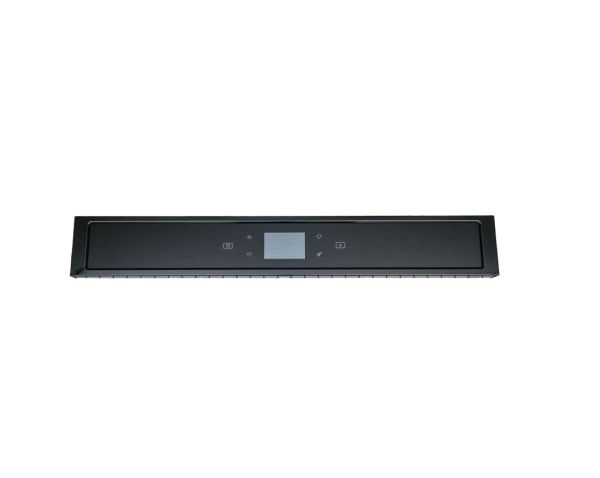
The Whirlpool W11600366 Oven Control Panel provides the primary point of interaction for selecting and monitoring system operations. Positioned on the exterior of the appliance, it includes control inputs, display elements and connecting electronic components used to manage cooking settings and operational modes. The panel communicates user commands to the internal control system, enabling coordinated operation of heating and timing processes. Working as a central interface element, it supports process selection, allows adjustment of operating parameters and facilitates access to the appliance's control features.
What maintenance is required for the Whirlpool W11600366 Control Panel?
Verify that all buttons and touch controls respond properly. Clean spills carefully using a non-abrasive cloth. Inspect wiring connections and mounting brackets to prevent loose contacts, and test programs to ensure the panel communicates accurately with oven electronics.
What are common issues with the Whirlpool W11600366 Control Panel?
Programs not starting correctly.
Display showing incorrect information.
Settings resetting unexpectedly.
Control panel overheating during use.
Installation Steps
Step1: Disconnect the oven from power to ensure safety.
Step2: Open the oven door and remove any screws securing the old control panel.
Step3: Gently pull the existing panel away from the oven.
Step4: Disconnect the wiring harnesses from the old panel.
Step5: Attach the new control panel and reconnect all wires securely.
Step6: Fasten the panel with screws, close the door, and restore power.
