
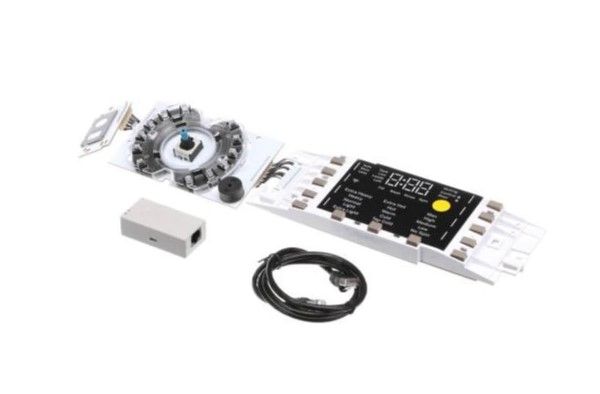
General Electric WH22X34919 Washer UI Board W/Sum & InstructionsFL 850

Special Price $309.44 Regular Price $387.57
In stock
Available Quantity:   160
SKU
WH22X34919

Product Description

The General Electric WH22X34919 Washer UI-Board W/Sum & Instructions FL 850 is a control panel through which users can choose the wash cycle, set the parameters and get information about the machine. It operates by receiving signals from the control panel and relaying them to the various parts of the washer to perform their functions effectively. The board has a summary bar and tutorial tabs that help the user to navigate through it easily.
Manufacturer

✓ This Product Replaces: WH22X29549, WH22X31163, WH22X32062
https://www.hnkparts.com/media/catalog/product/w/h/wh22x34919-54612.jpg
Manufacturer Name: GENERAL ELECTRIC
Product Number: WH22X34919
OEM Part Number: WH22X34919
Product Description: Ui Board Fl Washer 850 W Sum

Choose the best Home Appliance parts and supplies from HnKParts!

  • Same Day Shipping

  • Best Quality And Best Price

  • Wide Range of Inventory

  • Best Customer Service

Have More Questions or Need Help to Place The Order?
Reach us at (866)723-0907 or [email protected]

Write Your Own Review
You're reviewing:General Electric WH22X34919 Washer UI Board W/Sum & InstructionsFL 850
Your Rating
Customer Questions
What maintenance is required for the General Electric WH22X34919 UI Board With Sum & Instructions?

Check that all connectors are firmly seated and free of corrosion or dust. Wipe the board surface gently with a dry cloth if needed. Test all inputs and display functions periodically to confirm proper communication with the washer controls. Ensure the board is secured to its mounting points.

What are common issues with the General Electric WH22X34919 UI Board With Sum & Instructions?

  • Buttons not responding correctly.
  • Display showing incorrect cycle information.
  • Touch inputs registering intermittently.
  • Error codes appearing.

Installation Steps

Step1: Unplug the washer to prevent electrical shock.

Step2: Remove the top panel by loosening the rear screws.

Step3: Access the existing UI board and disconnect all wiring connectors.

Step4: Install the new UI board and reconnect each wire as instructed.

Step5: Secure the board with mounting screws.

Step6: Replace the top panel, restore power, and run a test cycle.