
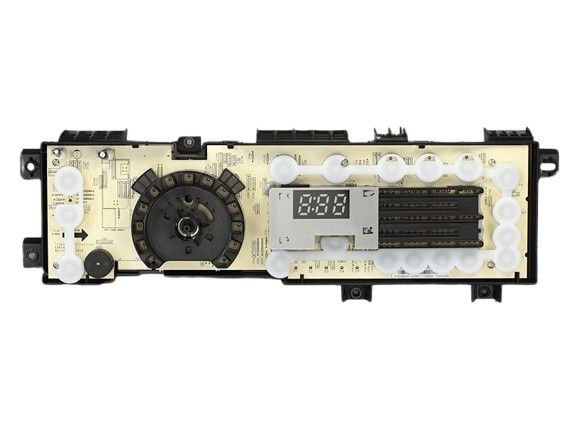
General Electric WE04X25572 Washer PCB User Interface Assembly & S/W

Special Price $225.36 Regular Price $293.95
In stock
Available Quantity:   4
SKU
WE04X25572
✓ This Product Replaces: WH12X23218, WH12X25778

Product Description

Through its user interface the General Electric WE04X25572 Dryer PCB UI Assembly and S/W controls all dryer operations. The dryer PCB UI Assembly and S/W contains both a printed circuit board (PCB) and software which controls settings such as temperature and cycle times and motor functions. The PCB uses electrical signals to control the dryer components according to user commands for accurate drying control. The built-in communication system between the user interface and internal systems of this assembly ensures precise cycle control and operational efficiency along with user-friendly response times. The dryer requires this component for its proper functioning and performance.
Manufacturer

https://www.hnkparts.com/media/catalog/product/w/e/we04x25572-39175.jpg
Manufacturer Name: GENERAL ELECTRIC
Product Number: WE04X25572
OEM Part Number: WE04X25572
Product Description: Pcb Ui Asm And S/W

Choose the best Home Appliance parts and supplies from HnKParts!

  • Same Day Shipping

  • Best Quality And Best Price

  • Wide Range of Inventory

  • Best Customer Service

Have More Questions or Need Help to Place The Order?
Reach us at (866)723-0907 or [email protected]

Write Your Own Review
You're reviewing:General Electric WE04X25572 Washer PCB User Interface Assembly & S/W
Your Rating
Customer Questions
What maintenance is required for the General Electric WE04X25572 PCB User Interface Assembly?

Regularly inspect the PCB and connectors for dust, moisture, or corrosion. Ensure all wiring is secure and dry. Power off the washer before handling, and gently clean contacts with a dry, soft cloth. Proper control prevents malfuntions and ensures accurate control responses.

What are common issues with the General Electric WE04X25572 PCB User Interface Assembly?

  • Unresponsive buttons or touchpad.
  • Erratic display readings or flickering.
  • Washer not starting or stopping mid-cycle.
  • Error codes triggered without actual faults.
  • Intermittent communication with sensors or motors.

Installation Steps

Step1: Disconnect power and washer water supply before opening washer panel.

Step2: Remove top or front control panel screws carefully.

Step3: Detach old PCB user interface wiring harness gently.

Step4: Install new assembly and reconnect harness securely.

Step5: Reassemble panel and restore power, test wash cycle.

Step6: Ensure grounding is intact and avoid touching live components to prevent electric shock.

Step7: Verify proper display response before closing all access panels.