
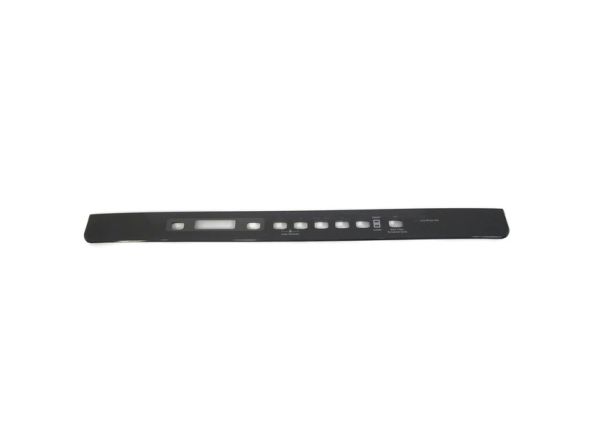
General Electric WD34X24946 Dishwasher Console Cover Assembly IML

Special Price $62.14 Regular Price $73.95
In stock
Available Quantity:   15
SKU
WD34X24946

Product Description

The General Electric WD34X24946 Dishwasher Console Cover Assembly IML is designed in such a way that it can easily fit the unit and allow easy access to buttons while at the same time enhancing the look of the unit. This cover assembly is designed to fit over the control panel to protect it from moisture, dust, and physical impact, which will help to enhance the durability of the product in the long run.
Console,
Manufacturer
✓ This Product Replaces: WD12X20252, WD34X20694, WD34X22920
https://www.hnkparts.com/media/catalog/product/w/d/wd34x24946-85537.jpg

This Part Fits the Following Models (2)

Manufacturer Name: GENERAL ELECTRIC
Product Number: WD34X24946
OEM Part Number: WD34X24946
Product Description: Cover Console Asm Iml

Choose the best Home Appliance parts and supplies from HnKParts!

  • Same Day Shipping

  • Best Quality And Best Price

  • Wide Range of Inventory

  • Best Customer Service

Have More Questions or Need Help to Place The Order?
Reach us at (866)723-0907 or [email protected]

Write Your Own Review
You're reviewing:General Electric WD34X24946 Dishwasher Console Cover Assembly IML
Your Rating
Customer Questions
What maintenance is required for the General Electric WD34X24946 Console Cover Assembly?

Ensure the console surface remains clean so touch controls respond to selections. Check that the cover sits flush against the panel and does not shift during use. Verify indicator lights remain visible and selections can be made without delay.

What are common issues with the General Electric WD34X24946 Console Cover Assembly?

  • Buttons not registering input.
  • Display symbols hard to read.
  • Control panel response delayed.
  • Indicators not illuminating.

Installation Steps

Step1: Turn off the power to the dishwasher unit.

Step2: Open the door and remove the screws from the inner panel.

Step3: Separate the panel to access the console cover.

Step4: Detach the old cover from its mounting clips.

Step5: Position the new cover and snap it into place.

Step6: Reassemble the door and restore power to verify fit.
