
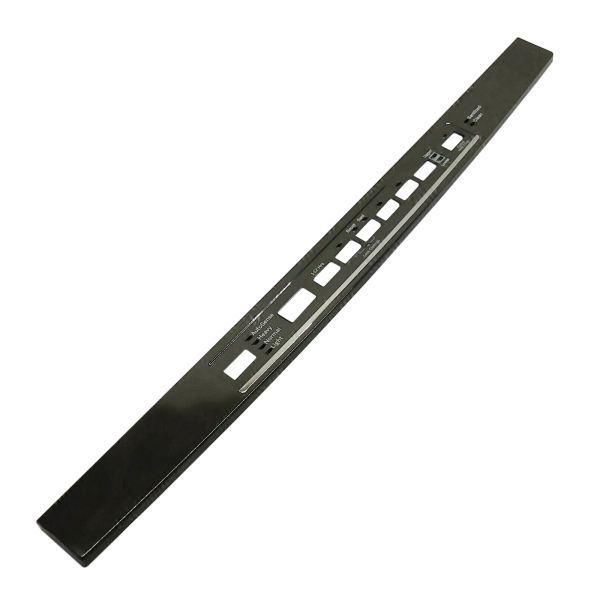
General Electric WD34X23760 Dishwasher Console Cover Graphics Assembly

Special Price $105.93 Regular Price $134.92
In stock
Available Quantity:   25
SKU
WD34X23760

Product Description

The General Electric WD34X23760 Dishwasher Console Cover Graphics Assembly gives proper labeling of buttons and settings to make its operation smooth. It is a sturdy construction that is meant to slide over the control panel offering clean contact with buttons that are located beneath it. It improves the functionality of the dishwasher and gives it a new look when the cover is changed from a damaged one. It is made from high-quality material that makes it durable reducing the rate of damage of the appliance.
Console,
Manufacturer
https://www.hnkparts.com/media/catalog/product/w/d/wd34x23760_general-electric_hnkparts.png
Manufacturer Name: GENERAL ELECTRIC
Product Number: WD34X23760
OEM Part Number: WD34X23760
Product Description: Console Cvr Graphics Asm

Choose the best Home Appliance parts and supplies from HnKParts!

  • Same Day Shipping

  • Best Quality And Best Price

  • Wide Range of Inventory

  • Best Customer Service

Have More Questions or Need Help to Place The Order?
Reach us at (866)723-0907 or [email protected]

Write Your Own Review
You're reviewing:General Electric WD34X23760 Dishwasher Console Cover Graphics Assembly
Your Rating
Customer Questions
What maintenance is required for the General Electric WD34X23760 Console Cover Graphics Assembly?

Inspect the console cover for proper alignment and secure mounting. Wipe the surface gently with a soft, damp cloth to remove residue. Verify that buttons and display icons register correctly and communicate accurately with the dishwasher’s control system.

What are common issues with the General Electric WD34X23760 Console Cover Graphics Assembly?

  • Buttons not responding.
  • Display not lighting up.
  • Incorrect cycle selection.
  • Console graphics fading.

Installation Steps

Step1: Disconnect dishwasher power to prevent electric shock.

Step2: Remove screws and the old console cover carefully.

Step3: Align the new cover and snap it into place.

Step4: Secure screws and reconnect the wiring.

Step5: Restore power and test all buttons to ensure proper functionality.
