
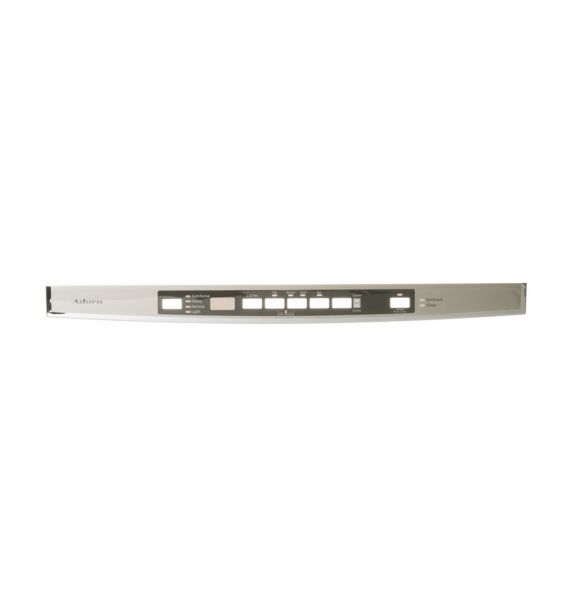
General Electric WD34X23199 Dishwasher Bezel & Cover Console Assembly

Special Price $96.81 Regular Price $121.55
In stock
Available Quantity:   40
SKU
WD34X23199

Product Description

The General Electric WD34X23199 Dishwasher Bezel & Cover Console Assembly is placed on top of the control panel to cover the internal circuit boards and also contribute to the dishwasher’s appearance. It operates by providing a safe area for the console and its controls and settings to be accessed while protecting it from moisture. It comes with a sturdy build that will enable the appliance to have a long durability.
Console,
Manufacturer
✓ This Product Replaces: WD34X23198
https://www.hnkparts.com/media/catalog/product/w/d/wd34x23199_general-electric_hnkparts.png
Manufacturer Name: GENERAL ELECTRIC
Product Number: WD34X23199
OEM Part Number: WD34X23199
Product Description: Bezel & Cvr Console Asm

Choose the best Home Appliance parts and supplies from HnKParts!

  • Same Day Shipping

  • Best Quality And Best Price

  • Wide Range of Inventory

  • Best Customer Service

Have More Questions or Need Help to Place The Order?
Reach us at (866)723-0907 or [email protected]

Write Your Own Review
You're reviewing:General Electric WD34X23199 Dishwasher Bezel & Cover Console Assembly
Your Rating
Customer Questions
What maintenance is required for the General Electric WD34X23199 Bezel & Cover Console Assembly?

Wipe the bezel and cover to remove grease and spills. Check that buttons and indicator lights function correctly. Inspect the mounting screws and connections to the control board to ensure the panel sits securely and evenly.

What are common issues with the General Electric WD34X23199 Bezel & Cover Console Assembly?

  • Buttons not registering input.
  • Display showing incorrect status.
  • Indicators not reflecting cycle progress.
  • Panel not aligned properly.

Installation Steps

Step1: Disconnect the dishwasher from power to avoid electric shock.

Step2: Open the dishwasher door and remove the screws securing the old bezel.

Step3: Gently detach the existing console and disconnect any wiring clips.

Step4: Align the new bezel and reconnect all wiring properly.

Step5: Secure the bezel with screws and ensure it sits flush.

Step6: Restore power and test all buttons for correct operation.
