
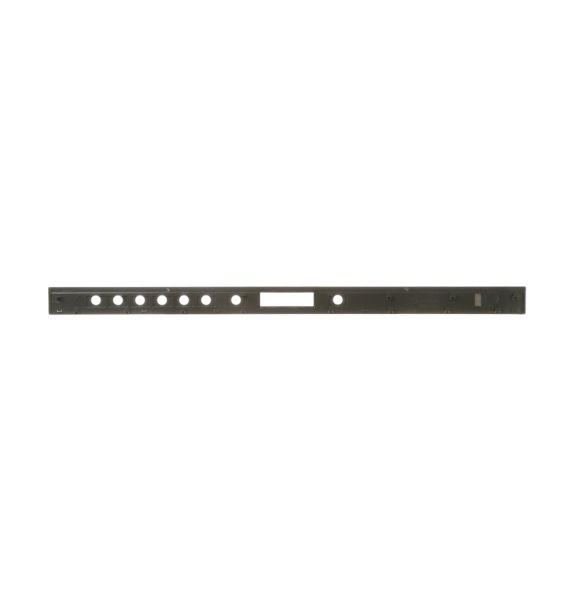
General Electric WD34X22947 Dishwasher Console Cover Assembly Monogram

Special Price $92.35 Regular Price $149.67
In stock
Available Quantity:   25
SKU
WD34X22947

Product Description

The General Electric WD34X22947 Dishwasher Console Cover Assembly Monogr is a sturdy and accurately manufactured original GE appliance part that shields and encloses the control panel of the dishwasher. This console cover helps protect the internal parts of the washing machine while at the same time having control buttons to select a wash cycle. It is easy to install and it is firmly fixed to provide easy access to operational controls.
Console,
Manufacturer
✓ This Product Replaces: WD12X21662, WD34X22976, WD12X20393, WD12X21660
https://www.hnkparts.com/media/catalog/product/w/d/wd34x22947_general-electric_hnkparts.png
Manufacturer Name: GENERAL ELECTRIC
Product Number: WD34X22947
OEM Part Number: WD34X22947
Product Description: Console Cover Asm Monogr

Choose the best Home Appliance parts and supplies from HnKParts!

  • Same Day Shipping

  • Best Quality And Best Price

  • Wide Range of Inventory

  • Best Customer Service

Have More Questions or Need Help to Place The Order?
Reach us at (866)723-0907 or [email protected]

Write Your Own Review
You're reviewing:General Electric WD34X22947 Dishwasher Console Cover Assembly Monogram
Your Rating
Customer Questions
What maintenance is required for the General Electric WD34X22947 Console Cover Assembly?

Regularly wipe the console cover with a soft, damp cloth to remove grease and fingerprints. Check that buttons and touchpads are responsive and not sticking. Inspect connections behind the assembly to ensure they are secure. Avoid pressing multiple buttons simultaneously to prevent errors.

What are common issues with the General Electric WD34X22947 Console Cover Assembly?

  • Buttons not responding consistently.
  • Display flickering or blanking.
  • Incorrect cycle selections activating.
  • Touchpad responsiveness uneven.

Installation Steps

Step1: Turn off power to the dishwasher at the circuit breaker.

Step2: Open the dishwasher door and remove the screws securing the old console cover.

Step3: Disconnect any attached wiring harness carefully.

Step4: Position the new cover, reconnect wiring, and secure with screws.

Step5: Test buttons and functions to confirm proper installation.
