
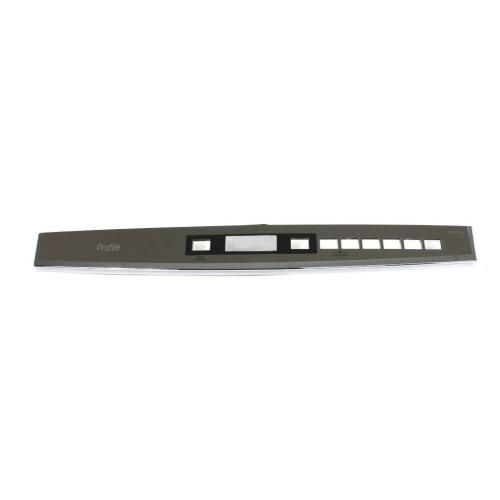
General Electric WD34X22882 Dishwasher Bezel & CVR Console Assembly

Special Price $83.63 Regular Price $132.03
In stock
Available Quantity:   25
SKU
WD34X22882

Product Description

The General Electric WD34X22882 Dishwasher Bezel & CVR Console Assembly is the front control trim and cover that provides a complete interface to choose wash cycles and options. It contains buttons or touch controls and connects with the internal control board to send user inputs. It is a control surface that is visible when the dishwasher is in operation in the console area of the dishwasher and attached with fasteners, and it allows easy interaction with the control components by assisting in the correct choice and safeguarding of the control elements in the daily dishwasher.
25.2"X9.35"X1.5"
Manufacturer
https://www.hnkparts.com/media/catalog/product/w/d/wd34x22882-general-electric-hnkparts-1.jpg
Write Your Own Review
You're reviewing:General Electric WD34X22882 Dishwasher Bezel & CVR Console Assembly
Your Rating
Customer Questions
What maintenance is required for the General Electric WD34X22882 Bezel & CVR Console Assembly?

Periodically wipe the console and bezel with a soft, damp cloth to remove detergent residue, dust, and fingerprints. Check that all buttons and switches respond correctly. Inspect mounting points to ensure the assembly is secure and aligned. Avoid pressing multiple buttons simultaneously to prevent input errors.

What are common issues with the General Electric WD34X22882 Bezel & CVR Console Assembly?

  • Buttons not responding consistently.
  • Display showing incorrect cycle status.
  • Programs resetting unexpectedly.
  • Difficulties selecting cycles or options.

Installation Steps

Step1: Unplug the dishwasher to prevent electrical hazards.

Step2: Remove screws securing the existing bezel and console assembly.

Step3: Disconnect all wiring harnesses attached to the old assembly.

Step4: Position the new bezel and console, reconnecting wires correctly.

Step5: Secure the assembly with mounting screws.

Step6: Plug in the dishwasher and test buttons and display for proper function.
