
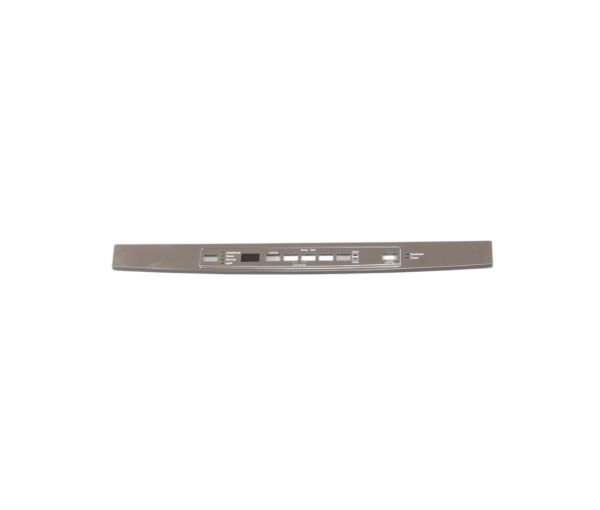
General Electric WD34X22262 Dishwasher Console Cover Assembly

Special Price $40.88 Regular Price $55.64
In stock
Available Quantity:   87
SKU
WD34X22262
✓ This Product Replaces: WD34X11832

Product Description

The General Electric WD34X22262 Dishwasher Console Cover Assembly is a spare part of the product that fits into the appliance to provide the control buttons and display space. It is primarily used to provide a completed surface with options marked to choose cycles and check the status. The cover is mounted on the front control area and covers the buttons and electronic interface that is underneath. It facilitates effective interaction with the users, assists in the correct selection of the input and provides dependability when performing the routine tasks.
Console,
Manufacturer
https://www.hnkparts.com/media/catalog/product/w/d/wd34x22262-87948.jpg
Manufacturer Name: GENERAL ELECTRIC
Product Number: WD34X22262
OEM Part Number: WD34X22262
Product Description: Console Cover Assm

Choose the best Home Appliance parts and supplies from HnKParts!

  • Same Day Shipping

  • Best Quality And Best Price

  • Wide Range of Inventory

  • Best Customer Service

Have More Questions or Need Help to Place The Order?
Reach us at (866)723-0907 or [email protected]

Write Your Own Review
You're reviewing:General Electric WD34X22262 Dishwasher Console Cover Assembly
Your Rating
Customer Questions
What maintenance is required for the General Electric WD34X22262 Console Cover Assembly?

Regularly wipe the dishwasher console cover assembly with a soft, damp cloth to remove dirt and residue. Avoid chemicals that may damage the surface. Ensure buttons remain unobstructed for proper operation. Periodically inspect for cracks or looseness to maintain safe and accurate performance.

What are common issues with the General Electric WD34X22262 Console Cover Assembly?

  • Cracked or broken console cover surface.
  • Buttons becoming unresponsive or sticking.
  • Fading or worn control labels.
  • Loose or improperly aligned assembly.
  • Moisture intrusion affecting control panel performance.

Installation Steps

Step1: Turn off power to dishwasher at breaker and shut water supply to prevent electric shock.

Step2: Remove screws securing old console cover and detach carefully.

Step3: Align new console cover assembly with control panel housing.

Step4: Secure with original screws ensuring even tightening.

Step5: Restore power and test controls for proper operation carefully.

Step6: Check seal alignment and ensure panel is flush before final tightening.
