The store will not work correctly in the case when cookies are disabled.
We collect user information to provide a better user experience and protect the security of our website. By continuing to use our website, you acknowledge the use of cookies.
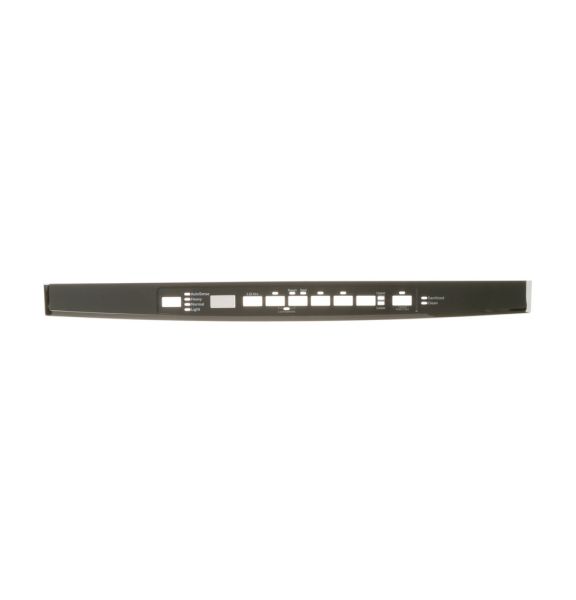
The General Electric WD34X21699 Dishwasher Console Cover Graphics Assembly provides a functional and visually organized interface for controlling wash cycles. This component houses essential control buttons and indicators, ensuring seamless operation. It facilitates user interaction by clearly displaying cycle options, enhancing convenience. Designed for durability, it resists wear and maintains legibility over time. The sturdy construction protects internal controls from dust and moisture, contributing to long-term performance. With an intuitive layout, it simplifies operation and ensures efficient cycle selection. By maintaining clear labeling and accessibility, it enhances the overall usability of the appliance, making daily dishwashing tasks more efficient while preserving the unit’s aesthetic appeal.
Step 1: The dishwasher is disconnected from the power source or the circuit is switched off at the breaker.
Step 2: The dishwasher door is lifted and the screws located on the sides of the control panel interface cover are found.
Step 3: With a Phillips head screwdriver, the screws are taken out and the cover is gently pulled away to reveal the dishwasher control panel.
Step 4: The WD34X21699 GE Dishwasher Control Panel Interface Cover is identified and any connections linked to the previous control panel interface cover are detached.
Step 5: The WD34X21699 GE Dishwasher Control Panel Interface Cover is positioned correctly, and any necessary connections are reconnected.
Step 6: The new control panel interface cover is fastened using the screws previously removed in step 2.
Step 7: The dishwasher is reconnected to the power source or the circuit is switched back on at the breaker.
Step 8: The functionality of the new control panel interface cover is verified.
Step 9: The dishwasher door is shut.
Please note that these instructions are served as general guidance and should always be utilized alongside the manufacturer's manual, if it is accessible.