
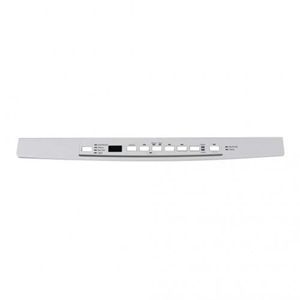
General Electric WD34X21698 Dishwasher Console Cover Graphics Assembly

Special Price $30.46 Regular Price $44.43
In stock
Available Quantity:   14
SKU
WD34X21698

Product Description

The General Electric WD34X21698 Dishwasher Console Cover Graphics Assembly is to be placed on the console and has clear labels and easy access to the controls. The graphics assembly is securely fixed on the dishwasher console to allow the buttons and settings to be easily viewed and used. Because of its tight fit, it enhances the general usability of the product through clear labeling and compatibility with the appliance.
Console,
Manufacturer
https://www.hnkparts.com/media/catalog/product/w/d/wd34x21698_general-electric_hnkparts.png
Manufacturer Name: GENERAL ELECTRIC
Product Number: WD34X21698
OEM Part Number: WD34X21698
Product Description: Console Cvr Graphics Asm

Choose the best Home Appliance parts and supplies from HnKParts!

  • Same Day Shipping

  • Best Quality And Best Price

  • Wide Range of Inventory

  • Best Customer Service

Have More Questions or Need Help to Place The Order?
Reach us at (866)723-0907 or [email protected]

Write Your Own Review
You're reviewing:General Electric WD34X21698 Dishwasher Console Cover Graphics Assembly
Your Rating
Customer Questions
What maintenance is required for the General Electric WD34X21698 Console Cover Graphics Assembly?

To maintain the dishwasher console cover graphics, regularly wipe it with a soft, damp cloth to remove spills and fingerprints. Avoid abrasive cleaners to prevent scratches. Ensuring the surface stays clean can keep buttons readable and prevents dirt from interfering with controls.

What are common issues with the General Electric WD34X21698 Console Cover Graphics Assembly?

  • Fading or peeling of graphics over time.
  • Buttons becoming unresponsive due to grime or moisture.
  • Cracks or scratches from accidental impact.
  • Misalignment causing operational difficulties.

Installation Steps

Step1: Disconnect dishwasher power at breaker.

Step2: Remove control panel screws.

Step3: Detach old console cover carefully.

Step4: Align new console cover and reconnect controls.

Step5: Secure screws and restore power.
