
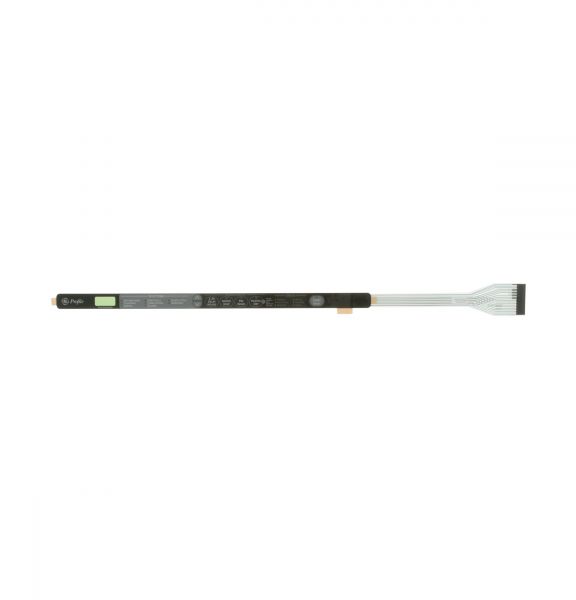
General Electric WD34X11228 Dishwasher Keypad

Special Price $106.29 Regular Price $154.94
In stock
Available Quantity:   11
SKU
WD34X11228

Product Description

The General Electric WD34X11228 Dishwasher Keypad is an electronic interface that enables users to operate and control the appliance. It operates through the input signals to the control board, which allows one to choose the wash cycles, options, and settings. It is fitted on the front panel of the appliance and is part of the user interface system, which is a vital assembly that enables interaction, correct operation.
Manufacturer

https://www.hnkparts.com/media/catalog/product/w/d/wd34x11228_general-electric_hnkparts.png
Manufacturer Name: GENERAL ELECTRIC
Product Number: WD34X11228
OEM Part Number: WD34X11228
Product Description: Keypad

Choose the best Home Appliance parts and supplies from HnKParts!

  • Same Day Shipping

  • Best Quality And Best Price

  • Wide Range of Inventory

  • Best Customer Service

Have More Questions or Need Help to Place The Order?
Reach us at (866)723-0907 or [email protected]

Write Your Own Review
You're reviewing:General Electric WD34X11228 Dishwasher Keypad
Your Rating
Customer Questions
What maintenance is required for the General Electric WD34X11228 Keypad?

Wipe the dishwasher keypad regularly with a soft, damp cloth to remove dirt, grease, or spills. Avoid using harsh chemicals or excessive moisture. Check for stuck buttons and ensure connections remain secure. Proper maintenance ensures responsive controls and avoids operational errors.

What are common issues with the General Electric WD34X11228 Keypad?

  • Dishwasher buttons not responding or sticking.
  • Erratic or inconsistent cycle selection.
  • Display or indicator lights malfunctioning.
  • Electrical connection failures.

Installation Steps

Step1: Disconnect power to the dishwasher at the breaker before servicing.

Step2: Open the door and remove the screws securing the inner door panel.

Step3: Separate the door panels to access the control console and keypad assembly.

Step4: Disconnect the keypad ribbon or wire connector and remove the old keypad.

Step5: Install the new keypad, reconnect the wiring, and reassemble the door panels.

Step6: Restore power and test all keypad functions to ensure proper operation.