
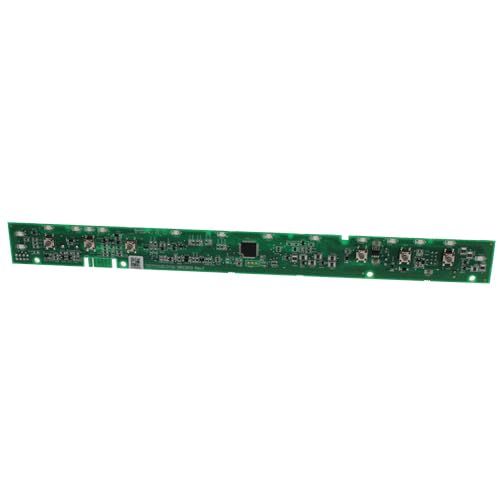
General Electric WD21X31899 Dishwasher Configured UI Board

Special Price $79.88 Regular Price $131.16
In stock
Available Quantity:   292
SKU
WD21X31899

Product Description

The General Electric WD21X31899 Dishwasher Configured UI Board enables effective communication between the control board and user panel to select cycles with precision and maintain efficient dishwasher performance, this component operates the dishwasher interface and electronic systems to enable smooth operation. The part functions by processing user inputs and cycle control management while coordinating fundamental functions including water flow temperature and drying, the design of this component restores optimal functionality while providing better user convenience and extending the dishwasher's operational longevity.
Manufacturer

https://www.hnkparts.com/media/catalog/product/w/d/wd21x31899_general_electric_hnkparts.jpg
Manufacturer Name: GENERAL ELECTRIC
Product Number: WD21X32003
OEM Part Number: WD21X32003
Product Description: Repl: Wd21x31899

Choose the best Home Appliance parts and supplies from HnKParts!

  • Same Day Shipping

  • Best Quality And Best Price

  • Wide Range of Inventory

  • Best Customer Service

Have More Questions or Need Help to Place The Order?
Reach us at (866)723-0907 or [email protected]

Write Your Own Review
You're reviewing:General Electric WD21X31899 Dishwasher Configured UI Board
Your Rating
Customer Questions
What maintenance is required for the General Electric WD21X31899 Configured UI Board?

Wipe the control surface gently with a soft, damp cloth to remove detergent residue or fingerprints. Keep the surrounding area dry and clear. Proper care helps ensure accurate button response and consistent dishwasher cycle selection.

What are common issues with the General Electric WD21X31899 Configured UI Board?

  • Buttons respond intermittently.
  • Cycle indicators display incorrect status.
  • Touch controls activate unintended functions.
  • Display symbols remain blink after cycles finish.

Installation Steps

Step1: Unplug the dishwasher to prevent electrical shock.

Step2: Remove the front or top control panel to access the UI board.

Step3: Disconnect all wiring connectors from the old board carefully.

Step4: Install the new UI board and reconnect all wiring securely.

Step5: Restore power, and test all buttons and display functions for proper operation.