
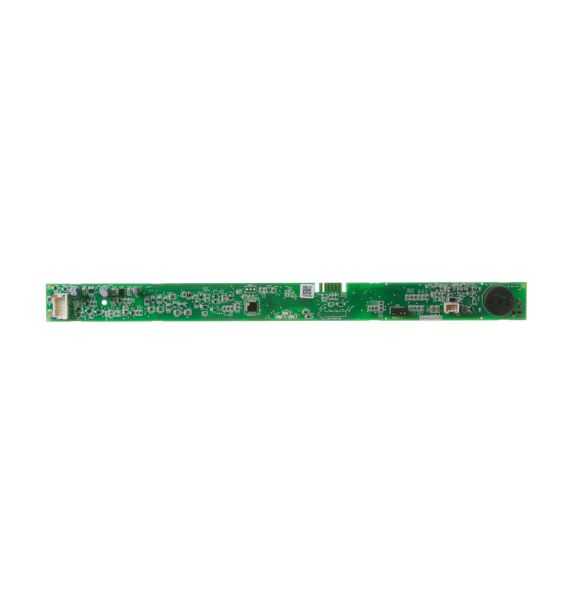
General Electric WD21X31901 Dishwasher Configured User Interface Board

Special Price $140.75 Regular Price $161.95
In stock
Available Quantity:   63
SKU
WD21X31901

Product Description

The General Electric WD21X31901 Dishwasher User Interface Control Board Kit Service LCD is responsible for controlling the settings and display. This control panel takes instructions from the user and interacts with the main control board of the dishwasher to control the wash cycle, temperature, and time. Specifically built for this purpose, it brings back a high level of performance, improves functionality, and offers cycle status readouts on an LCD screen.
Manufacturer

https://www.hnkparts.com/media/catalog/product/w/d/wd21x23464_general-electric_hnkparts.png
Manufacturer Name: GENERAL ELECTRIC
Product Number: WD21X31901
OEM Part Number: WD21X31901
Product Description: Kit Svc Ui Lcd Ffstn

Choose the best Home Appliance parts and supplies from HnKParts!

  • Same Day Shipping

  • Best Quality And Best Price

  • Wide Range of Inventory

  • Best Customer Service

Have More Questions or Need Help to Place The Order?
Reach us at (866)723-0907 or [email protected]

Write Your Own Review
You're reviewing:General Electric WD21X31901 Dishwasher Configured User Interface Board
Your Rating
Customer Questions
What maintenance is required for the General Electric WD21X31901 Configured User Interface Board?

Keep the interface board clean using a soft, dry cloth. Ensure all wiring connections are secure. Test all cycle selections and indicator lights to confirm consistent response and proper signal transmission during dishwasher operation.

What are common issues with the General Electric WD21X31901 Configured User Interface Board?

  • Buttons respond inconsistently.
  • Cycle selections fail intermittently.
  • Display does not register inputs properly.
  • Indicator lights flicker or remain dim.

Installation Steps

Step1: Unplug the dishwasher for safety.

Step2: Remove the inner door panel to access the control board.

Step3: Disconnect wiring harnesses from the old interface board.

Step4: Install the new board, reconnecting all wires securely.

Step5: Plug in the dishwasher and run a test cycle to confirm functionality.