
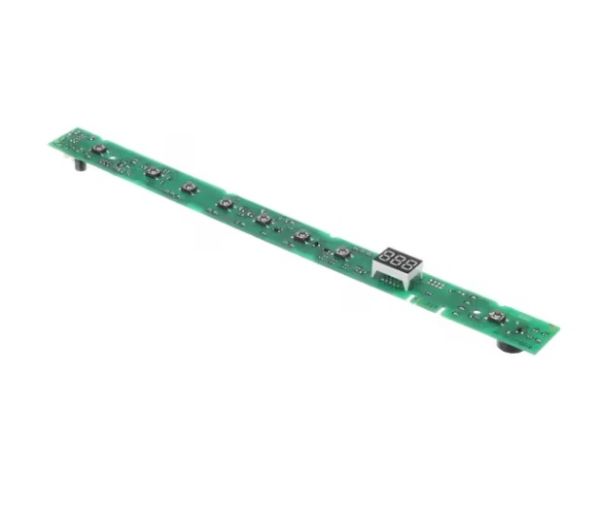
General Electric WD21X31898 Dishwasher Configured User Interface Control Board

Special Price $69.50 Regular Price $85.95
In stock
Available Quantity:   110
SKU
WD21X31898

Product Description

The General Electric WD21X31898 Dishwasher Configured User Interface Control Board serves and functions as the unit that precisely controls wash cycles and settings together with user commands. The control board operates by processing commands from the control panel to activate different components for high cleaning results. This durable component restores dishwasher performance and operates to increase its operational efficiency. A factory-configured design, together with streamlined installation, lets customers quickly replace the control board, which brings easier appliance compatibility, minimizes breakdowns, and extends the dishwasher life for sustained clean dish delivery.
Manufacturer

✓ This Product Replaces: WD21X26185, WD21X24824, WD21X32006
https://www.hnkparts.com/media/catalog/product/w/d/wd21x31898-87710.jpg
Manufacturer Name: GENERAL ELECTRIC
Product Number: WD21X31898
OEM Part Number: WD21X31898
Product Description: Configured Ui Board

Choose the best Home Appliance parts and supplies from HNKParts!

  • Same Day Shipping

  • Best Quality And Best Price

  • Wide Range of Inventory

  • Best Customer Service

Have More Questions or Need Help to Place The Order?
Reach us at (866)723-0907 or [email protected]

Write Your Own Review
You're reviewing:General Electric WD21X31898 Dishwasher Configured User Interface Control Board
Your Rating
Customer Questions
What maintenance is required for the General Electric WD21X31898 User Interface Control Board?

Inspect the control board for dust accumulation or loose wiring. Wipe gently with a dry cloth. Verify all buttons and display functions respond correctly. Ensure programming inputs register accurately during operation without errors.

What are common issues with the General Electric WD21X31898 User Interface Control Board?

  • Buttons not responding.
  • Display not updating correctly.
  • Cycles not starting.
  • Settings restarting unexpectedly.

Installation Steps

Step1: Disconnect power to the dishwasher to prevent electrical hazards.

Step2: Remove the front panel or control panel to access the interface board.

Step3: Disconnect all wiring from the old control board.

Step4: Install the new control board and reconnect all connectors securely.

Step5: Fasten screws and replace the panel.

Step6: Restore power and test all dishwasher functions to ensure proper operation.