
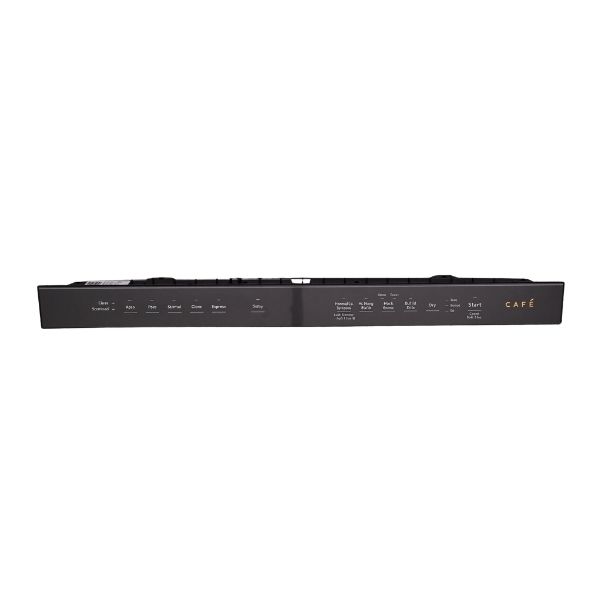
General Electric WD21X31879 Dishwasher Configured Cafe Ui Control Wit

Special Price $205.85 Regular Price $231.95
In stock
Available Quantity:   20
SKU
WD21X31879

Product Description

General Electric WD21X31879 Configured Cafe-UI Control with Cover has the ability to enable users to control and program dishwasher cycles using an easy-to-understand interface. This control panel transmits the chosen commands to the main control board of the dishwasher that controls such functions as wash settings, temperature and cycle time.
Manufacturer

✓ This Product Replaces: WD21X25385, WD21X28559
https://www.hnkparts.com/media/catalog/product/w/d/wd21x28559_general-electric_hnkparts.png
MANUFACTURER NAME: GENERAL ELECTRIC
PRODUCT NUMBER: WD21X31879
OEM PART NUMBER: WD21X31879
PRODUCT DESCRIPTION: CONFIGURED CAFE UI CNTRL W/COV

CHOOSE THE BEST HOME APPLIANCE PARTS AND SUPPLIES FROM HNKPARTS!

  • SAME DAY SHIPPING

  • BEST QUALITY AND BEST PRICE

  • WIDE RANGE OF INVENTORY

  • BEST CUSTOMER SERVICE

HAVE MORE QUESTIONS OR NEED HELP TO PLACE THE ORDER?
REACH US AT (866)723-0907 OR [email protected]

Write Your Own Review
You're reviewing:General Electric WD21X31879 Dishwasher Configured Cafe Ui Control Wit
Your Rating
Customer Questions
What maintenance is required for the General Electric WD21X31879 UI Control W/Cover?

Select several wash options in sequence to confirm the interface changes between programs without delay. Keep the control surface dry to prevent input errors. Verify that indicator lights correspond to the chosen cycle and reset properly after completion.

What are common issues with the General Electric WD21X31879 UI Control W/Cover?

  • Touch controls not responding.
  • Cycle selection not registering.
  • Display not reflecting chosen program.
  • Status lights not resetting.

Installation Steps

Step1: Disconnect power to the dishwasher before starting.

Step2: Open the door and remove the screws securing the control panel.

Step3: Carefully separate the panel to access the UI control.

Step4: Disconnect wiring connectors from the existing unit.

Step5: Install the new control and reconnect wiring securely.

Step6: Reassemble the panel and restore power to test functionality.