
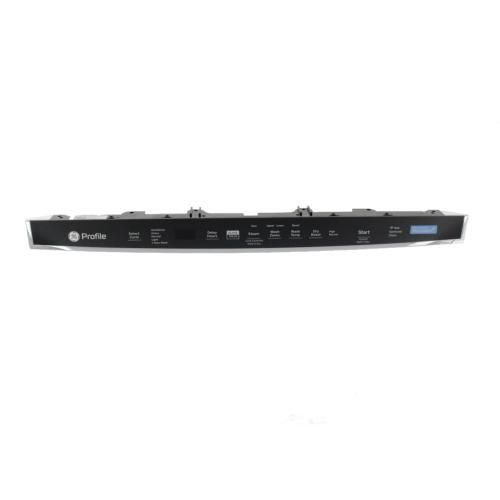
GENERAL ELECTRIC WD21X29118 Configured Top Ui Control With Cover

Special Price $174.56 Regular Price $196.95
In stock
Available Quantity:   6
SKU
WD21X29118

Product Description

The General Electric WD21X29118 Dishwasher Configured Top UI Control With Cover access different cleaning cycles and settings without any difficulty. It operates by transmitting the user instructions to the internal control system that ensures that the chosen operations are performed efficiently and correctly.
Dishwasher Parts, Control Boards,
12"X6"X34"
Manufacturer
https://www.hnkparts.com/media/catalog/product/w/d/wd21x29118-general-electric-hnkparts-1.jpg

This Part Fits the Following Models (2)

Write Your Own Review
You're reviewing:GENERAL ELECTRIC WD21X29118 Configured Top Ui Control With Cover
Your Rating
Customer Questions
What maintenance is required for the General Electric WD21X29118 Configured Top UI Control With Cover?

Regularly inspect the control panel for signs of moisture, corrosion, or loose connections. Keep the surface clean and dry to prevent electrical issues. Ensure proper installation and secure wiring connections. Always disconnect power before handling to reduce risk of electric shock or damage.

What are common issues with the General Electric WD21X29118 Configured Top UI Control With Cover?

  • Unresponsive or non-functioning control buttons.
  • Display panel not lighting up or showing errors.
  • Intermittent operation or failure to send commands.
  • Electrical connection faults or short circuits.

Installation Steps

Step1: Turn off power at the circuit breaker to avoid electric shock.

Step2: Open the dishwasher door and remove screws securing the inner panel.

Step3: Carefully separate the control panel from the door.

Step4: Disconnect wiring harnesses from the old unit.

Step5: Attach connectors to the new control.

Step6: Secure it in place and reassemble the panel.

Step7: Restore power and test functionality.
