
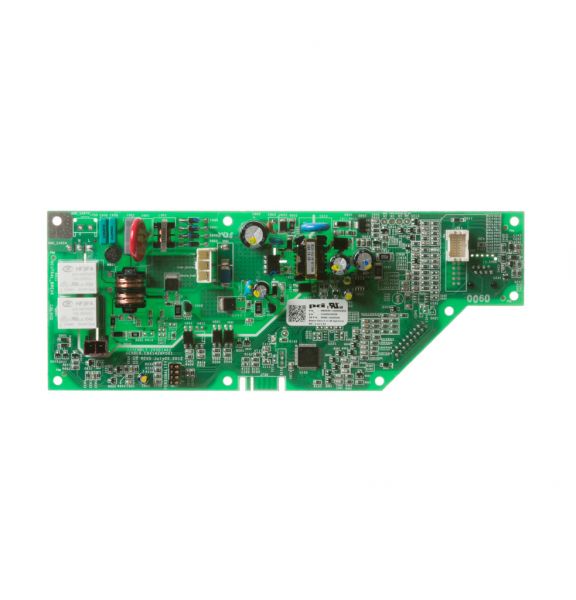
General Electric WD21X22278 Dishwasher Main Control Board

Special Price $102.69 Regular Price $122.95
In stock
Available Quantity:   36
SKU
WD21X22278

Product Description

The General Electric WD21X22278 Dishwasher Main Control Board operates and coordinates the washing functions of the appliance. It operates by taking the user inputs and processing them via its circuitry to control cycles, timing, and water flow. It is placed within the dishwasher cabinet, firmly fixed to the internal housing, and wired and fitted with other components, so that the signal is sent and the dishwasher control system works correctly during the washing processes.
Control Boards,
Manufacturer
✓ This Product Replaces: WD21X10533
https://www.hnkparts.com/media/catalog/product/w/d/wd21x22278_general-electric_hnkparts.png
Manufacturer Name: GENERAL ELECTRIC
Product Number: WD21X22278
OEM Part Number: WD21X22278
Product Description: Main Control Board

Choose the best Home Appliance parts and supplies from HnKParts!

  • Same Day Shipping

  • Best Quality And Best Price

  • Wide Range of Inventory

  • Best Customer Service

Have More Questions or Need Help to Place The Order?
Reach us at (866)723-0907 or [email protected]

Write Your Own Review
You're reviewing:General Electric WD21X22278 Dishwasher Main Control Board
Your Rating
Customer Questions
What maintenance is required for the General Electric WD21X22278 Main Control Board?

Regularly inspect the dishwasher control board for moisture, debris, or loose connections. Ensure the dishwasher is powered off before cleaning. Use a soft, dry cloth to remove dust. Proper maintenance prevents electrical issues and ensures safe, reliable operation.

What are common issues with the General Electric WD21X22278 Main Control Board?

  • Dishwasher not starting or responding.
  • Error codes appearing on the display.
  • Inconsistent wash cycles or interrupted operations.
  • Burnt or damaged wiring connections.

Installation Steps

Step1: Turn off power at the circuit breaker and verify the unit is disconnected.

Step2: Remove the lower access panel and locate the existing control board housing.

Step3: Take a note of all wire connections before disconnecting the harnesses.

Step4: Remove the old control board and install the new control board securely.

Step5: Reconnect all wiring exactly as originally configured and close the housing.

Step6: Reinstall the access panel, restore power, and run a test cycle to confirm operation.
