
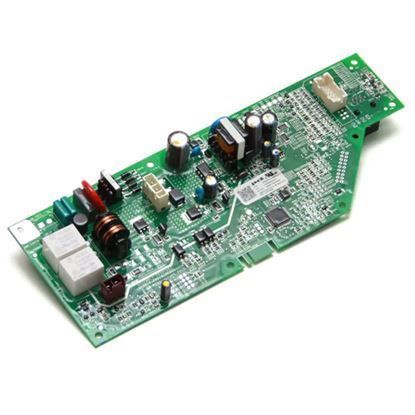
The General Electric WD21X22276 Dishwasher Control-Board Kit decodes cycle selection and sensor inputs to regulate wash, rinse and drain cycles. It sends timed pulses to pumps, valves, heaters and motors to perform programmed cycle steps. This kit is found in the lower front interior of the dishwasher tub and is mounted to the main wiring harness and behind the access panel.
Please, mind that only logged in users can submit questions
Installation Steps
Step 1: The main power supply to the dishwasher should be disconnected by either unplugging it or deactivating the circuit breaker.
Step 2: The lower access panel should be taken off from the dishwasher utilizing a Phillips head screwdriver to eliminate the screws that hold the panel.
Step 3: With a Phillips head screwdriver, the two screws that fasten the old electronic control board should be detached and taken out.
Step 4: The electrical connectors should be disconnected from the old electronic control board.
Step 5: The new electronic control board should be positioned onto the mounting bracket and fastened using the two screws.
Step 6: The electrical connections should be reattached to the new board.
Step 7: The lower access panel should be reinstalled and secured with the screws using a Phillips head screwdriver.
Step 8: The main power to the dishwasher should be reinstated by plugging it in or switching on the circuit breaker.
Please note that these instructions serve as general guidance and should always be followed alongside the manufacturer's manual, if one is accessible.
