
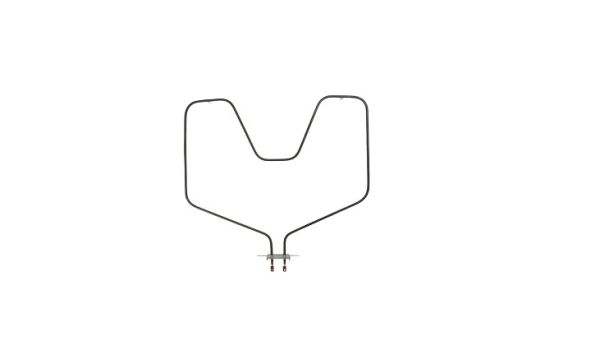
The General Electric WB44X5099 Oven Bake Heating Element provides consistent heat by converting electrical energy. The element receives power, then its internal wire heats up, radiating warmth. This part ensures even cooking. Replacement leads to restored oven functionality. It also helps maintain consistent baking temperatures.
Please, mind that only logged in users can submit questions
Installation Steps
Step 1: Prior to starting, the power supply to your oven at the circuit breaker should be turned off.
Step 2: The screws securing the back panel of your oven should be taken out, then the panel should be detached.
Step 3: The WB44X5099 GE Bake Element within the oven should be identified; it is a flat rectangular component with two wires attached at the rear.
Step 4: The wires from the back of the WB44X5099 GE Bake Element should be removed by tugging on the connection caps.
Step 5: After the connection caps have been detached, the mounting screws that are securing the bake element should be unscrewed.
Step 6: The old bake element should be extracted and placed aside.
Step 7: The replacement WB44X5099 GE Bake Element should be taken and the mounting holes should be aligned with the existing ones on the oven wall.
Step 8: The new bake element should be fastened using the screws that previously held the old one.
Step 9: The wires should be reattached by pressing the connection caps onto each of the two wires.
Step 10: The back panel of the oven should be reinstalled and secured with the screws that were removed earlier.
Step 11: The power at the circuit breaker should be reactivated, and you’re finished!
Please note that these instructions serve as general guidance and should always be utilized in conjunction with the manufacturer's manual, if available.
