
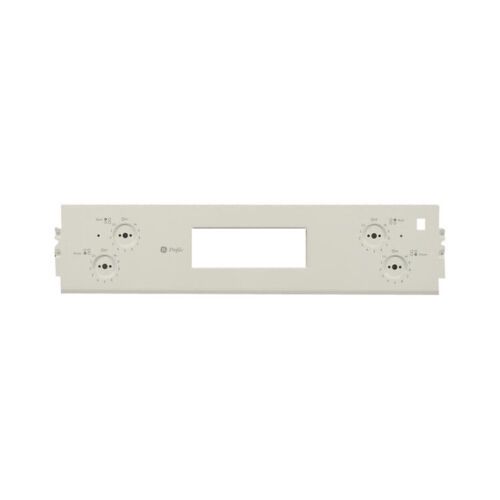
General Electric WB36X20143 Range Control Panel ( Scr- Wh)

Special Price $120.36 Regular Price $137.95
In stock
Available Quantity:   3
SKU
WB36X20143

Product Description

The General Electric WB36X20143 Range Control Panel (Scr-Wh) is used for regulating some of the cooking functions such as the heat intensity and the mode of cooking. This control panel operates through the internal wiring of the range and enables one to set the temperature, and time, among other features. As for the design, it is efficient for the user and allows for accurate control of cooking, which makes it suitable for normal cooking.
Manufacturer

✓ This Product Replaces: WB36K5566
https://www.hnkparts.com/media/catalog/product/w/b/wb36x20143_general-electric_hnkparts.png
Manufacturer Name: GENERAL ELECTRIC
Product Number: WB36X20143
OEM Part Number: WB36X20143
Product Description: Panel Cntl ( Scr- Wh)

Choose the best Home Appliance parts and supplies from HnKParts!

  • Same Day Shipping

  • Best Quality And Best Price

  • Wide Range of Inventory

  • Best Customer Service

Have More Questions or Need Help to Place The Order?
Reach us at (866)723-0907 or [email protected]

Write Your Own Review
You're reviewing:General Electric WB36X20143 Range Control Panel ( Scr- Wh)
Your Rating
Customer Questions
What maintenance is required for the General Electric WB36X20143 Control Panel?

Regularly wipe the control panel with a soft, damp cloth to remove grease and residue. Test all buttons and touchpads for proper responsiveness. Inspect connections behind the panel to ensure they are secure. Avoid pressing multiple buttons simultaneously to prevent misoperation.

What are common issues with the General Electric WB36X20143 Control Panel?

  • Range not responding to control inputs.
  • Temperature settings not adjusting correctly.
  • Display showing incorrect or blinking codes.
  • Cooktop elements failing to activate when selected.

Installation Steps

Step1: Turn off power to the range at the circuit breaker.

Step2: Remove screws securing the damaged control panel assembly.

Step3: Carefully disconnect the wiring harness from the old panel.

Step4: Position the replacement control panel onto the mounting brackets.

Step5: Reconnect the wiring and tighten all mounting screws.

Step6: Restore power and test buttons to verify proper response.