
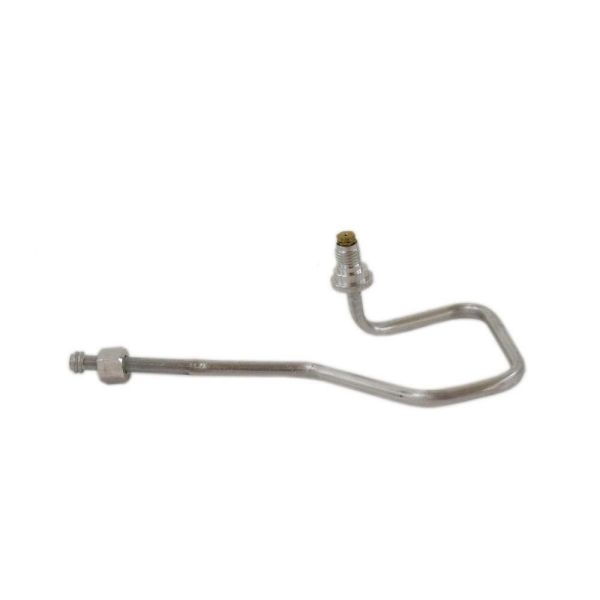
General Electric WB28X24766 Range Orifice Holder Left Rear

Special Price $16.07 Regular Price $18.49
In stock
Available Quantity:   33
SKU
WB28X24766

Product Description

ORIFICE HOLDER LR
Manufacturer

https://www.hnkparts.com/media/catalog/product/w/b/wb28x24766_general-electric_hnkparts.png

This Part Fits the Following Models (81)

GE JGB660DEJ2BB Gas Range Or Dual Fuel GE JGB660DEJ2WW Gas Range Or Dual Fuel GE JGB660DEJ3BB Gas Range or Dual Fuel GE JGB660DEJ3WW Gas Range Or Dual Fuel GE JGB660DEJ4BB Gas Range Or Dual Fuel GE JGB660DEJ4WW Gas Range Or Dual Fuel GE JGB660EEJ1ES Gas Range Or Dual Fuel GE JGB660EEJ2ES Gas Range Or Dual Fuel GE JGB660EEJ3ES Gas Range Or Dual Fuel GE JGB660EEJ4ES Gas Range Or Dual Fuel GE JGB660FEJ1DS Gas Range Or Dual Fuel GE JGB660SEJ1SS Gas Range GE JGB660SEJ2SS Gas Range Or Dual Fuel GE JGB660SEJ3SS Gas Range Or Dual Fuel GE JGB660SEJ4SS Gas Range Or Dual Fuel
Showing 1-15 of 81
Manufacturer Name: GENERAL ELECTRIC
Product Number: WB28X24766
OEM Part Number: WB28X24766
Product Description: Orifice Holder Lr

Choose the best Home Appliance parts and supplies from HnKParts!

  • Same Day Shipping

  • Best Quality And Best Price

  • Wide Range of Inventory

  • Best Customer Service

Have More Questions or Need Help to Place The Order?
Reach us at (866)723-0907 or [email protected]

Write Your Own Review
You're reviewing:General Electric WB28X24766 Range Orifice Holder Left Rear
Your Rating
Customer Questions
No Questions

Installation Steps

Step 1: The GE Office Holder is disconnected from the electrical outlet. Care is exercised during this process to prevent electric shocks.

Step 2: The outline of the GE Office Holder's base is followed to its mounting bracket and the screws that secure it are removed.

Step 3: The old GE Office Holder is detached from the wall.

Step 4: The area where the new GE Office Holder will be installed is wiped down.

Step 5: The mounting holes on your new GE Office Holder are identified.

Step 6: The new GE Office Holder is positioned against the wall surface, then it is fastened using the suitable mix of screws, anchors, and wall plugs.

Step 7: The GE Office Holder is reconnected to a grounded electrical outlet and it is switched on.

Step 8: It is verified that the newly mounted GE Office Holder is functioning correctly.

Step 9: The settings (if needed) are modified to ensure the GE Office Holder operates at peak performance.

Step 10: The documents and items you wish to store in the GE Office Holder are organized, and you're all set.

Please be aware that these instructions are served as general guidance and should always be referenced alongside the manufacturer's manual, if available.