
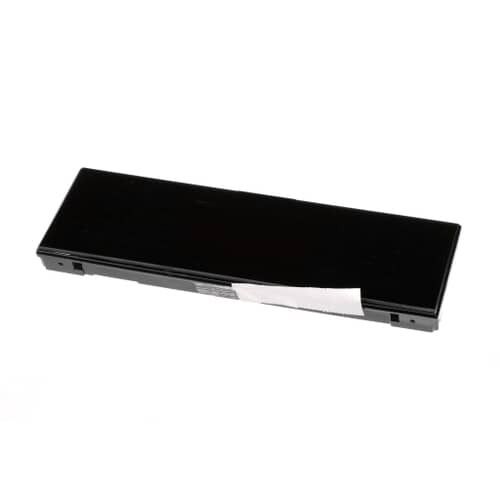
General Electric WB27X42946 Range Glass & Touch Board Assembly

Special Price $337.32 Regular Price $361.95
In stock
Available Quantity:   9
SKU
WB27X42946

Product Description

The General Electric WB27X42946 Range Glass & Touch Board Assembly is a key component in modern ranges, giving you intuitive control over culinary activities through a sleek touch interface. This assembly combines a sturdy glass display with a cutting-edge touch-sensitive circuit board, allowing users to easily alter temperature settings, timers, and other cooking choices with a simple touch.

Manufacturer

✓ This Product Replaces: WB27X40228
https://www.hnkparts.com/media/catalog/product/w/b/wb27x42946-43028.jpg

This Part Fits the Following Models (7)

MANUFACTURER NAME: GENERAL ELECTRIC
PRODUCT NUMBER: WB27X42946
OEM PART NUMBER: WB27X42946
PRODUCT DESCRIPTION: GLASS & TOUCH BOARD ASM

CHOOSE THE BEST HOME APPLIANCE PARTS AND SUPPLIES FROM HNKPARTS!

  • SAME DAY SHIPPING

  • BEST QUALITY AND BEST PRICE

  • WIDE RANGE OF INVENTORY

  • BEST CUSTOMER SERVICE

HAVE MORE QUESTIONS OR NEED HELP TO PLACE THE ORDER?
REACH US AT (866)723-0907 OR [email protected]

Write Your Own Review
You're reviewing:General Electric WB27X42946 Range Glass & Touch Board Assembly
Your Rating
Customer Questions
What maintenance is required for the General Electric WB27X42946 Glass And Touch Board Assembly?

Keep the glass surface range clean using a soft, non-abrasive cloth and a mild cleaner to prevent residue buildup that can affect touch sensitivity. Avoid excessive moisture entering around the control board. Regularly inspect for cracks, loose connections, or unresponsive touch areas. Proper care helps maintain accurate input response and prolongs the reliability of the electronic controls.

What are common issues with the General Electric WB27X42946 Glass And Touch Board Assembly?

  • Unresponsive or intermittently working touch controls.
  • Cracked or damaged glass surface.
  • Display range errors or malfunctioning indicators.
  • Buttons registering incorrect inputs.
  • Electrical connection failures or loose wiring.
  • Moisture intrusion affecting control board performance.

Installation Steps

Step1: Disconnect power to the range at the breaker to prevent electrical shock.

Step2: Remove the control panel trim or rear access cover to reach the touch board assembly.

Step3: Disconnect the wire harnesses from the old glass and touch board assembly.

Step4: Remove the mounting screws and carefully lift out the old glass and touch board assembly.

Step5: Position the new glass and touch board assembly, secure it with screws, and reconnect all wiring harnesses.

Step6: Reinstall panels, restore power, and test the touch controls and display for proper operation.