
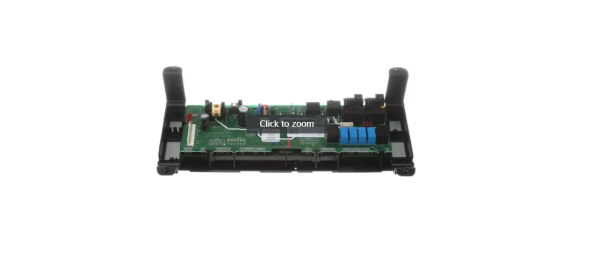
General Electric WB27X32205 Range Dorian Gray Overly And Control

Special Price $350.12 Regular Price $508.61
In stock
Available Quantity:   35
SKU
WB27X32205

Product Description

The General Electric WB27X32205 Range Overlay & Control allows users can easily set the temperature, choose cooking methods, and use the timer. Behind the control panel, it takes the user’s instructions and translates them into instructions the oven can follow for accurate results.
Manufacturer

✓ This Product Replaces: WB49X26645, WB27X29119, WB06X10816
https://www.hnkparts.com/media/catalog/product/w/b/wb27x32205_general-electric_hnkparts.png

This Part Fits the Following Models (2)

Manufacturer Name: GENERAL ELECTRIC
Product Number: WB27X32205
OEM Part Number: WB27X32205
Product Description: Dorian Gray Overly And Control

Choose the best Home Appliance parts and supplies from HnKParts!

  • Same Day Shipping

  • Best Quality And Best Price

  • Wide Range of Inventory

  • Best Customer Service

Have More Questions or Need Help to Place The Order?
Reach us at (866)723-0907 or [email protected]

Write Your Own Review
You're reviewing:General Electric WB27X32205 Range Dorian Gray Overly And Control
Your Rating
Customer Questions
What maintenance is required for the General Electric WB27X32205 Overlay and Control?

Ensure the overlay sits flush with the panel and buttons operate smoothly. Wipe the surface to remove residue that could prevent proper input. Test each function to confirm selections register accurately and display readings match chosen settings.

What are common issues with the General Electric WB27X32205 Overlay and Control?

  • Buttons not responding.
  • Display failing to update.
  • Cooking modes not activating.
  • Selected programs not starting.

Installation Steps

Step1: Unplug the range to ensure safety.

Step2: Remove knobs and unscrew the control panel.

Step3: Disconnect all wires from the old control board and overlay.

Step4: Install the new overlay and board, reconnecting all wires.

Step5: Secure the panel with screws and replace knobs.

Step6: Restore power and test all operations for proper operation.