
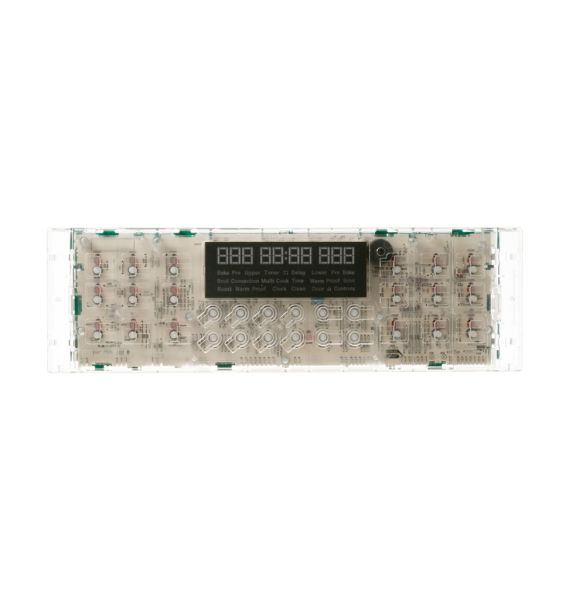
General Electric WB27X25322 Oven Electronic Control Board

Special Price $170.86 Regular Price $190.97
In stock
Available Quantity:   34
SKU
WB27X25322

Product Description

The General Electric WB27X25322 Range Electric Control Board operates all functions of GE ranges. Through this mechanism, the heating elements receive their precise temperature instructions for cooking purposes. The board receives user interface commands from the range and activates the correct heating components to sustain target heat levels which results in efficient cooking operation. The board functions with multiple GE range models through its installation inside the control panel. Safety protection features on the board prevent electrical surges while ensuring operational safety. The device operates reliably to deliver precise temperature control which improves the entire cooking process.
Control Boards,
Manufacturer
✓ This Product Replaces: WB27X21626
https://www.hnkparts.com/media/catalog/product/w/b/wb27x25322_general-electric_hnkparts.png
Manufacturer Name: GENERAL ELECTRIC
Product Number: WB27X25322
OEM Part Number: WB27X25322
Product Description: Elec Control Board

Choose the best Home Appliance parts and supplies from HnKParts!

  • Same Day Shipping

  • Best Quality And Best Price

  • Wide Range of Inventory

  • Best Customer Service

Have More Questions or Need Help to Place The Order?
Reach us at (866)723-0907 or [email protected]

Write Your Own Review
You're reviewing:General Electric WB27X25322 Oven Electronic Control Board
Your Rating
Customer Questions
What maintenance is required for the General Electric WB27X25322 Electronic Control Board?

Regularly inspect the control board for signs of burns, corrosion, or loose connections. Ensure the oven is unplugged before cleaning around it. Avoid moisture exposure and gently wipe with a dry cloth. Proper maintenance prevents malfunctions and ensures safe, reliable operation.

What are common issues with the General Electric WB27X25322 Electronic Control Board?

  • Oven not heating or uneven cooking.
  • Display panel malfunctioning or unresponsive buttons.
  • Error codes appearing intermittently.
  • cycles starting or stopping unexpectedly.
  • Failure to maintain set temperatures consistently.

Installation Steps

Step1: Turn off oven power at breaker to avoid electric shock completely.

Step2: Remove oven rear panel using proper tool securely.

Step3: Disconnect wiring harness from old control board carefully gently connections.

Step4: Install new control board aligning connectors properly ensuring correct orientation carefully.

Step5: Reattach wires securely and mount board firmly in place.

Step6: Replace panel and restore power test oven operations safely after installation.
