
The store will not work correctly in the case when cookies are disabled.
We collect user information to provide a better user experience and protect the security of our website. By continuing to use our website, you acknowledge the use of cookies.
In the Observance of Memorial Day No Shippings or Deliveries on Monday, 05/25. Second day air orders on 05/21 and next day air orders on 05/22 will be delivered on Tuesday, 05/26.
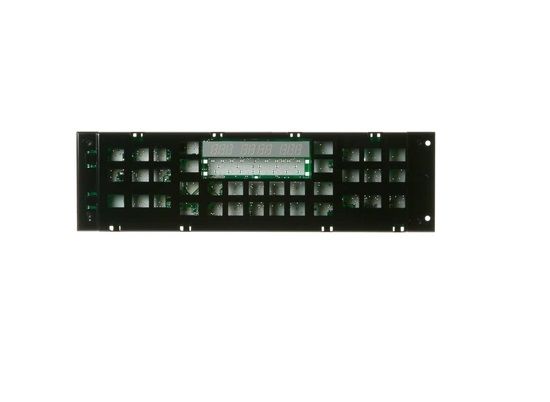
The General Electric WB27X21393 Range Control UI Assembly is used to bring back the range’s control to its full functionality. This panel facilitates the easy control of temperature, cooking modes, and time by the use of a panel and functions to send inputs to the appliance’s control board to ensure proper command execution for cooking. It has a touch screen and digital display that makes it easier and convenient to use. This part is installed to make the equipment more durable and to have a better fit that reduces operational problems to a bad control panel.
What maintenance is required for the General Electric WB27X21393 Control Board Assembly?
Keep the board dry and free of grease using a soft, lint-free cloth. Inspect wiring for secure connections and avoid pressing buttons forcefully. Preventive cleaning and careful handling ensure accurate temperature control and avoid electrical hazards.
What are common issues with the General Electric WB27X21393 Control Board Assembly?
Oven fails to respond to temperature inputs.
Display showing intermittent error codes.
Bake or broil functions not activating.
Shutting off before completing cycles.
Installation Steps
Step1: Unplug the range to prevent electrical hazards.
Step2: Remove the back panel or control panel to access the board.
Step3: Disconnect all wiring harnesses from the old control board.
Step4: Install the new board and reconnect all wires correctly.
