
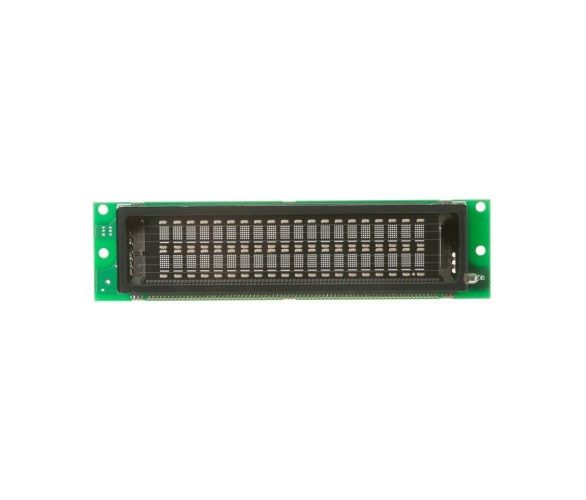
General Electric WB27X10856 Range Digitron

Special Price $194.02 Regular Price $238.23
Out of stock
Available Quantity:   0
SKU
WB27X10856

Product Description

The General Electric WB27X10856 Range Digitron can be used in display settings, temperatures, and cooking time on the oven control panel and makes it easy to monitor the cooking process. This works through converting electrical signals to digital output and this provides the required control for different cooking processes. Digitron improves the cooking process and easy to operate and gives accurate readings. It also enhances the durability of the appliance.
Manufacturer

https://www.hnkparts.com/media/catalog/product/w/b/wb27x10856-28457.jpg

This Part Fits the Following Models (66)

GE ZSC1001J1SS SPEEDCOOK/Microwave GE ZSC1001J2SS Microwave GE ZSC1001J4SS Microwave Or Advantium GE ZSC1001J3SS Microwave Or Advantium GE SCB1000KBB01 Microwave GE SCB1000KBB02 Microwave GE SCB1000KCC01 Microwave GE SCB1000KCC02 Microwave GE SCB1000KWW01 Microwave GE ZSC1202NSS01 Microwave GE PSB9120SF6SS Microwave GE PSB9120EF4ES Microwave GE PSB1201NSS01 Microwave GE PSB1200NWW01 Microwave GE PSB1001NSS01 Microwave
Showing 1-15 of 66
Manufacturer Name: GENERAL ELECTRIC
Product Number: WB27X10856
OEM Part Number: WB27X10856
Product Description: Digitron

Choose the best Home Appliance parts and supplies from HnKParts!

  • Same Day Shipping

  • Best Quality And Best Price

  • Wide Range of Inventory

  • Best Customer Service

Have More Questions or Need Help to Place The Order?
Reach us at (866)723-0907 or [email protected]

Write Your Own Review
You're reviewing:General Electric WB27X10856 Range Digitron
Your Rating
Customer Questions
What maintenance is required for the General Electric WB27X10856 Digitron?

Clean the display surface gently with a soft cloth to prevent residue buildup that may obscure visibility. Avoid excessive moisture near electronic components. Inspect wiring connections for security during servicing. Disconnect power before maintenance to prevent electrical shock.

What are common issues with the General Electric WB27X10856 Digitron?

  • Display fails to show settings.
  • Buttons unresponsive.
  • Burners do not operate correctly.
  • Power interruptions affect operation.

Installation Steps

Step1: Turn off power to the range at the breaker.

Step2: Access the control panel and remove screws securing the digitron assembly.

Step3: Disconnect the wiring harness from the old unit carefully.

Step4: Install the new digitron and reconnect wiring securely.

Step5: Reassemble the control panel and restore power to verify display operation.