The store will not work correctly in the case when cookies are disabled.
We collect user information to provide a better user experience and protect the security of our website. By continuing to use our website, you acknowledge the use of cookies.
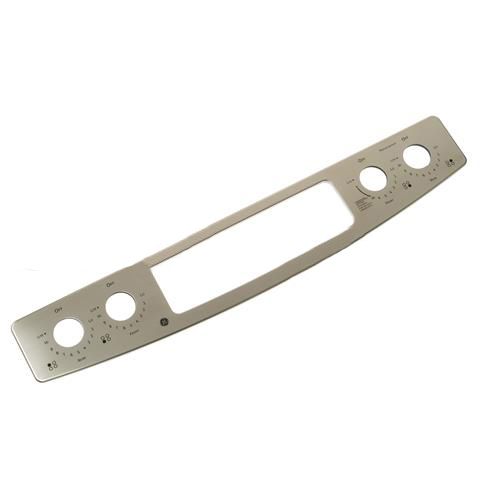
The General Electric WB27T11405 Range Control Panel Overlay Assembly serves as an interface for selecting cooking functions and settings. It transmits touch input through the membrane circuit to the control board and then activates the corresponding heating modes. This overlay assembly attaches over the range control panel and seals the components behind the fascia.
What maintenance is required for the General Electric WB27T11405 Panel Overlay Assembly?
Clean the overlay surface gently to preserve markings and visibility. Avoid using abrasive cleaners that may wear off labels. Ensure proper adhesion to the panel surface. Check alignment to keep controls readable and accurately positioned during use.
What are common issues with the General Electric WB27T11405 Panel Overlay Assembly?
Labels are fading or becoming unreadable.
Misalignment affecting control visibility.
Scratches are forming under the overlay.
Controls difficult to identify.
Installation Steps
Step1: Turn off power to the range at the breaker panel.
Step2: Carefully remove the old overlay from the panel face.
Step3: Align the new overlay with buttons and display openings.
Step4: Press firmly across the surface to ensure proper adhesion.
Step5: Restore power and check that controls respond correctly.