The store will not work correctly in the case when cookies are disabled.
We collect user information to provide a better user experience and protect the security of our website. By continuing to use our website, you acknowledge the use of cookies.
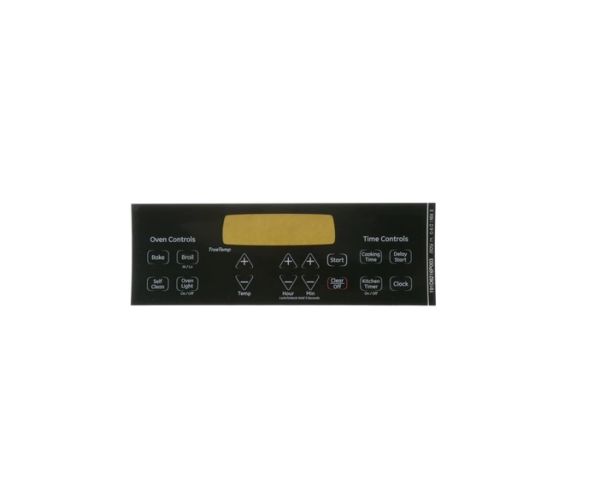
The General Electric WB27T11229 Range Faceplate provides a clear and durable interface for controlling range functions. It ensures proper alignment of buttons and displays, allowing seamless operation. Designed to fit securely, it enhances visibility and accessibility while protecting internal components. Its sturdy construction resists wear, maintaining long-term performance. The faceplate simplifies control adjustments, contributing to efficient cooking experiences. With its durable build and precise fit, it supports the range’s longevity and reliability.
Step 1: The oven/range should be disconnected from the electrical outlet. It’s crucial for it to be disconnected to avoid the risk of electric shock while the faceplate is changed.
Step 2: The current faceplate should be detached by utilizing a flathead screwdriver to disengage any plastic clips situated along the edges of the plate. It should ensure that all screws are stored securely for reinstallation later.
Step 3: The new WB27T11229 GE faceplate should be positioned over the openings and fastened using the screws. It should ensure that they are secured tightly.
Step 4: The oven/range should be reconnected to the wall outlet.
Step 5: Your newly installed GE faceplate should be reveled in!
By adhering to these guidelines, the WB27T11229 GE faceplate should be replaced swiftly and uncomplicatedly. All necessary safety measures should always be observed to ensure your well-being while handling electrical appliances.
Please remember that these instructions are to serve as general guidance and should always be utilized alongside the manufacturer's manual, if it is available.