
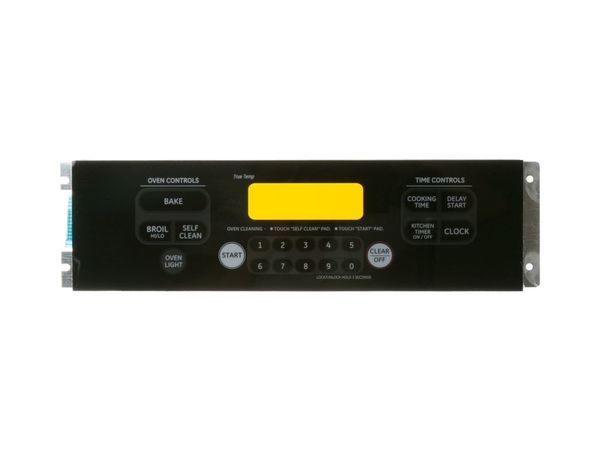
General Electric WB27T10760 Range Control Board Overlay

Special Price $147.31 Regular Price $186.04
In stock
Available Quantity:   2
SKU
WB27T10760

Product Description

The General Electric WB27T10760 Range Control Board Overlay is a sturdy, easy-to-read surface that replaces the worn-out surface on the appliance and allows select cooking modes and temperatures. It is designed to be tightly clamped over the control board to shield the electronics beneath it against wear, spills, and heat.
Manufacturer

https://www.hnkparts.com/media/catalog/product/w/b/wb27t10760-49696.jpg
Manufacturer Name: GENERAL ELECTRIC
Product Number: WB27T10760
OEM Part Number: WB27T10760
Product Description: Keypanel F05

Choose the best Home Appliance parts and supplies from HnKParts!

  • Same Day Shipping

  • Best Quality And Best Price

  • Wide Range of Inventory

  • Best Customer Service

Have More Questions or Need Help to Place The Order?
Reach us at (866)723-0907 or [email protected]

Write Your Own Review
You're reviewing:General Electric WB27T10760 Range Control Board Overlay
Your Rating
Customer Questions
What maintenance is required for the General Electric WB27T10760 Control Board Overlay?

Regularly inspect the range control board overlay for cracks, wear, or residue buildup. Gently clean with a soft, damp cloth, avoiding chemicals. Ensuring proper installation prevents electrical issues and maintains better operation.

What are common issues with the General Electric WB27T10760 Control Board Overlay?

  • Buttons becoming unresponsive or sticking.
  • Display inconsistencies or fading.
  • Electrical shorts or connection problems.
  • Erratic control of heating elements or range operations.

Installation Steps

Step1: Disconnect power supply to the range to avoid electric shock.

Step2: Ensure surface is clean and dry before installation.

Step3: Remove control knobs and front panel carefully.

Step4: Peel off old overlay from control board surface.

Step5: Align new control board overlay with button and indicator cutouts accurately.

Step6: Press firmly to secure adhesive evenly without air bubbles.

Step7: Restore power and test controls for proper operation.