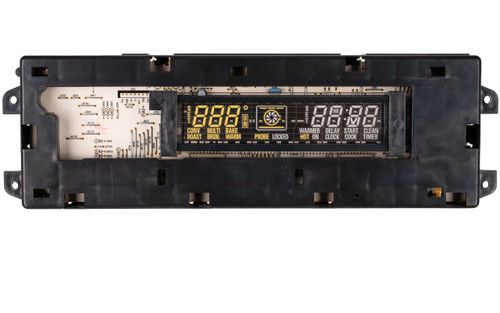
The General Electric WB27K10424 Range Control Oven Board ERC3HP functions as the main control system that manages different oven functions for multiple GE oven models, this board maintains data communication with other oven components, which include heating elements and temperature sensors, to achieve accurate temperature management and system smoothness. The board improves cooking effectiveness by enabling precise temperature control, fast startup features, and better oven system performance, becoming an essential element for delivering exceptional cooking outcomes. The board provides dependable operation, which leads to an improved user experience through smooth functionality.
Step 1: The oven should be disconnected from the power source and the breaker that provides electricity to the appliance should be deactivated.
Step 2: The oven door should be opened and the screws found within the door's opening should be taken out.
Step 3: The old control panel should be pulled out and the wiring from its rear side should be detached.
Step 4: The current oven control panel should be extracted from the mounting bracket.
Step 5: The new GE WB27K10424 CONTROL OVN (ERC3HP) should be positioned correctly and fastened to the control panel mounting bracket.
Step 6: All the wires should be attached to the rear of the new control panel.
Step 7: All functions of the oven should be verified to ensure proper operation.
Step 8: The oven door should be closed, the oven should be reconnected to the power outlet, and the breaker should be reactivated.
Step 9: With the new GE WB27K10424 CONTROL OVN (ERC3HP) successfully installed, your oven can now be safely operated.
Please remember, these guidelines should be utilized as general assistance and should always be utilized alongside the manufacturer's manual, if accessible.